
Free Payroll Templates for Small Businesses (Template Included)
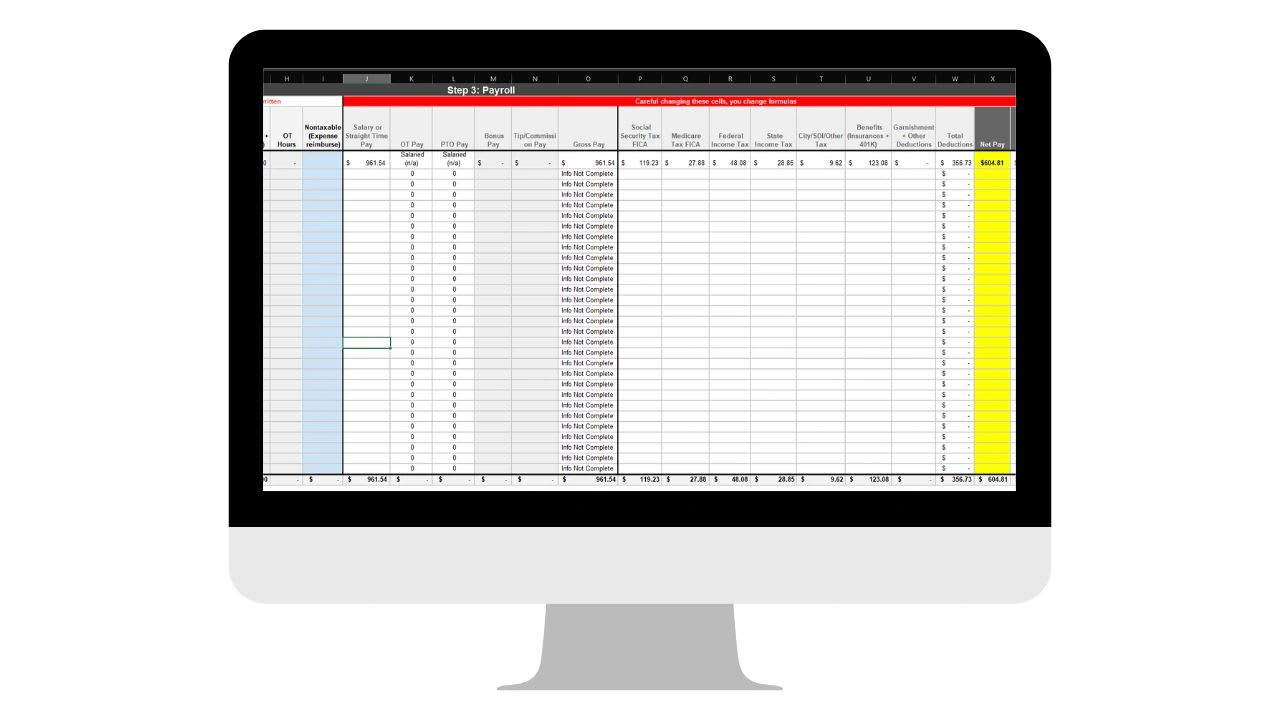
Free payroll templates give small businesses a simple, structured way to calculate gross pay, overtime, deductions, and net pay for each employee and keep a record of every pay period. Below you will find a copy-and-paste payroll register with working formulas, a link to a free Google Sheets payroll template, a payroll calculator you can use on this page, and a clear list of what every payroll template must include.
Employees rely on accurate paychecks, and owners have to record wages, hours, and deductions correctly. Many small businesses start with a spreadsheet before moving to payroll software. A good template reduces errors and keeps your records organized from the first paycheck.
What Is a Payroll Template?
A payroll template is a spreadsheet or document used to calculate and record employee pay. It lists each employee's hours, pay rate, gross pay, deductions, and net pay for a pay period, usually in Microsoft Excel or Google Sheets. For businesses with a handful of employees and simple pay structures, it can be a practical way to stay organized.
Why Small Businesses Use Payroll Templates
- They are free or low cost and quick to set up
- Built-in formulas calculate hours, overtime, gross pay, and net pay
- All payroll records live in one place
- They are easy to customize for your pay rules
- They create a record you can reconcile against bank payments
What a Payroll Template Should Include
| Section | Fields | Why It Matters |
|---|---|---|
| Employee information | Name, employee ID, job title, pay type | Keeps records organized and traceable |
| Pay period | Period start, period end, pay date | Ties every payment to the right dates |
| Hours | Regular hours, overtime hours, PTO or holiday hours | Nonexempt pay depends on accurate hours |
| Pay rates | Hourly rate, overtime rate, or salary per period | Drives every calculation |
| Gross pay | Regular pay, overtime pay, bonuses, commissions | Total earnings before deductions |
| Pre-tax deductions | Certain health premiums and retirement contributions | May reduce taxable wages |
| Taxes | Federal income tax, Social Security, Medicare, state and local taxes | Required withholding |
| Post-tax deductions | Garnishments, some benefits, repayments | Taken after taxes are calculated |
| Net pay | Gross pay minus all deductions | What the employee actually receives |
| Payment record | Payment method, date, check or transaction number | Proof of payment for reconciliation |
Federal law requires employers to keep payroll and hours records for nonexempt employees. The Department of Labor recordkeeping fact sheet lists what must be kept, and the IRS employment taxes page explains withholding and deposit responsibilities.
Free Payroll Register Template for Excel or Google Sheets
Copy this template and paste it into cell A1 of a blank sheet. It splits hours into regular and overtime at 40 hours per week, calculates overtime at 1.5 times the rate, estimates employee FICA at 7.65%, applies the income tax rate you enter, and totals everything. Format column M as a percentage and the money columns as currency.
Employee	Employee ID	Pay Type	Hourly Rate	Hours Worked	Regular Hours	OT Hours	Regular Pay	OT Pay	Gross Pay	Pre-Tax Deductions	Employee FICA	Income Tax Rate	Income Tax	Post-Tax Deductions	Net Pay
Jamie Cruz	E001	Hourly	22	44	=MIN(E2,40)	=MAX(E2-40,0)	=F2*D2	=G2*D2*1.5	=H2+I2	40	=ROUND(J2*0.0765,2)	0.1	=ROUND((J2-K2)*M2,2)	0	=J2-K2-L2-N2-O2
Riley Park	E002	Hourly	18.5	38	=MIN(E3,40)	=MAX(E3-40,0)	=F3*D3	=G3*D3*1.5	=H3+I3	0	=ROUND(J3*0.0765,2)	0.08	=ROUND((J3-K3)*M3,2)	15	=J3-K3-L3-N3-O3
Totals				=SUM(E2:E3)	=SUM(F2:F3)	=SUM(G2:G3)	=SUM(H2:H3)	=SUM(I2:I3)	=SUM(J2:J3)	=SUM(K2:K3)	=SUM(L2:L3)		=SUM(N2:N3)	=SUM(O2:O3)	=SUM(P2:P3)
										Employer FICA	=ROUND(J4*0.0765,2)
Prefer a ready-made file? Open the free payroll template in Google Sheets and make a copy.
Free Payroll Register Calculator
Free Payroll Register Calculator
Add hourly employees for one weekly pay period. Hours over 40 are paid at 1.5 times the rate, the federal overtime minimum for nonexempt employees. Enter your own withholding percentage from your payroll provider or IRS tables, since income tax depends on each employee's W-4.
| Employee | Rate | Reg Hrs | OT Hrs | Gross | Pre-Tax | FICA (7.65%) | Income Tax | Post-Tax | Net Pay |
|---|
Estimates only. FICA is simplified to 7.65% (Social Security plus Medicare) and ignores the Social Security wage base and the additional Medicare tax. Some pre-tax deductions reduce income tax but not FICA. State and local taxes and state overtime rules are not included. Verify every payroll with your payroll provider, the IRS, and the Department of Labor.
How to Calculate Payroll Step by Step
- Collect approved hours. Pull hours from timesheets or your time clock and confirm managers approved them.
- Calculate gross pay. Regular hours times the rate, plus overtime hours times 1.5 times the regular rate, plus any bonuses or commissions.
- Subtract pre-tax deductions such as qualifying health premiums or retirement contributions.
- Calculate taxes. Withhold federal income tax based on each employee's W-4 and IRS Publication 15-T, plus Social Security and Medicare, and any state or local taxes.
- Subtract post-tax deductions such as garnishments.
- Pay employees by direct deposit or check and record the payment.
- Deposit and report taxes on the IRS and state schedules that apply to you, including the employer share of FICA and unemployment taxes.
Worked Example
| Line | Calculation | Amount |
|---|---|---|
| Regular pay | 40 hours x $22.00 | $880.00 |
| Overtime pay | 4 hours x $22.00 x 1.5 | $132.00 |
| Gross pay | $880.00 + $132.00 | $1,012.00 |
| Pre-tax deduction | Health premium | -$40.00 |
| Employee FICA | $1,012.00 x 7.65% | -$77.42 |
| Income tax (example 10%) | ($1,012.00 - $40.00) x 10% | -$97.20 |
| Net pay | Gross minus deductions | $797.38 |
This simplified example treats the health premium as reducing income tax but not FICA. Whether a deduction reduces FICA depends on the type of plan, so confirm with your payroll provider.
Payroll Templates for Salaried Employees
For salaried employees, the template calculates pay per period instead of by hours. Divide the annual salary by the number of pay periods: 52 for weekly, 26 for biweekly, 24 for semimonthly, or 12 for monthly. A $62,400 salary paid biweekly is $2,400 per paycheck. Being paid a salary does not automatically make someone exempt from overtime, so confirm each salaried employee meets the federal exemption tests before leaving hours off the template.
Payroll Schedules Compared
| Schedule | Paychecks per Year | Pros | Cons |
|---|---|---|---|
| Weekly | 52 | Easy overtime math, popular with hourly staff | Most payroll runs to process |
| Biweekly | 26 (27 in some years) | Common, predictable | Two months a year have three paychecks |
| Semimonthly | 24 | Lines up with monthly bills and benefits | Overtime still tracked by workweek, which splits across periods |
| Monthly | 12 | Fewest payroll runs | Long wait between paychecks; some states restrict it |
Payroll Checklist for Each Pay Period
- Timesheets submitted and approved
- New hires, terminations, and rate changes entered
- PTO and holiday hours recorded
- Overtime reviewed by workweek
- Deductions and garnishments updated
- Totals reviewed against the prior period for unusual changes
- Payments sent and tax deposits scheduled
- Register saved and backed up
Common Payroll Template Mistakes
- Averaging hours across weeks. Federal overtime is calculated per workweek, not per pay period. See what a pay period is.
- Using a flat tax guess. Income tax withholding depends on each W-4. Use IRS tables or a payroll provider.
- Forgetting the employer share. Employers pay their own share of FICA plus unemployment taxes on top of gross pay.
- Overwriting formulas. Lock formula cells so a typed number does not break a calculation.
- No backup of records. Save each pay period as its own tab or file.
Payroll Records to Keep
Keep the payroll register for every pay period along with timesheets, pay rates, deductions authorizations, W-4 forms, and records of tax deposits and filings. The Department of Labor requires certain payroll records for nonexempt employees to be kept for at least three years and the records used to calculate wages, such as time cards, for two years. The IRS generally asks employers to keep employment tax records for at least four years. Save each pay period in a clearly named file or tab, and back it up.
Employees vs. Contractors in Your Template
Independent contractors do not belong on a payroll register. You do not withhold taxes from contractor payments, and they are typically paid by invoice instead. Classification depends on the actual working relationship, not the job title, and misclassifying an employee as a contractor can lead to back taxes and back wages. The IRS guidance on independent contractors and employees explains the factors. For a quick comparison, see W2 vs. 1099 employees.
Limitations of Payroll Templates
Templates depend on manual data entry, do not update tax tables, do not file tax forms, and do not track changing state rules. As headcount grows or you add locations, the risk of an error rises. That is usually the point to move to payroll software or a provider.
How to Protect Your Payroll Spreadsheet
- Lock formula cells so only hours, rates, and deductions can be edited.
- Limit access to the people who run payroll, since the file contains pay and tax data.
- Use one tab per pay period and never overwrite a closed period.
- Reconcile every run by matching net pay totals to the bank withdrawals.
- Keep a change log for rate changes, new hires, and corrections.
Managing Payroll Alongside Operations
Payroll is only as accurate as the hours behind it. Updoot connects time tracking, scheduling, PTO, projects, and payroll preparation, so approved hours flow into payroll without re-typing and labor costs show up by project. Plans start at $5 per user per month. For more, see pay slips and how to create them.
Final Thoughts
A payroll template is a solid starting point for a small team. Use one with working formulas, keep records for every pay period, verify tax withholding against IRS guidance, and move to software when payroll gets complex.
Important: These templates and the calculator are guides. Verify every value you enter, and use Department of Labor guidance, IRS resources, and your payroll provider to make sure employees are paid correctly. XecuteTheVision is not responsible for payroll errors.
Sources: U.S. Department of Labor, Recordkeeping Requirements; IRS, Employment Taxes; IRS Topic 751.
Opens in Google Drive. View and download for free.
Related Reading
Frequently Asked Questions About Payroll Templates
What is a payroll template?
A payroll template is a spreadsheet used to calculate and record employee hours, gross pay, deductions, taxes, and net pay for each pay period.
What should a payroll template include?
Include employee information, pay period dates, regular and overtime hours, pay rates, gross pay, pre-tax deductions, tax withholding, post-tax deductions, net pay, and payment records.
How is overtime calculated in a payroll template?
For nonexempt employees under federal law, hours over 40 in a workweek are paid at least 1.5 times the regular rate. The template splits hours at 40 and multiplies overtime hours by the rate times 1.5.
Can I use a payroll template in Google Sheets?
Yes. The payroll register on this page pastes directly into Excel or Google Sheets, and there is also a free Google Sheets version you can copy.
Do payroll templates calculate taxes automatically?
Only in a simplified way. Income tax withholding depends on each employee's W-4 and IRS tables, and templates do not update tax rates or file returns, so verify withholding with the IRS or a payroll provider.
When should a business switch from templates to payroll software?
Switch when you have more than a few employees, multiple states or pay types, or when manual calculations and tax filings take too much time or create errors.