
Compare Best Company Intranet Software Features: The Free Cheatsheet
If you've looked at company intranet software, you already know the pitch sounds identical everywhere: a place to post announcements, a home for documents, one spot for everyone to check. What actually separates an intranet people use from one that quietly dies after launch week shows up in the details, whether announcements actually get seen instead of buried, whether documentation is easy to find and kept current, and whether the intranet connects to real org and business data instead of sitting off to the side as a static bulletin board.
This guide breaks down the intranet features worth comparing, organized the way you'd actually evaluate a vendor, plus a free interactive cheatsheet you can filter by category and print or copy into your own comparison sheet.
On this page
- Why comparing intranet features actually matters
- Announcements and culture features to compare
- Documentation and access control features to compare
- Org visibility and business health features to compare
- The interactive company intranet feature cheatsheet
- Free vs. mid-tier vs. all-in-one intranet software
- Red flags to watch for when evaluating vendors
- How Updoot compares
- Frequently asked questions
Why Comparing Intranet Features Actually Matters
Nearly every intranet tool on the market can do the baseline job: post something for everyone to see. That's table stakes, not a differentiator, which is exactly why comparing tools on "can it post an announcement" gets you nowhere. The real differences live one layer deeper, in the features that determine whether people actually open the intranet regularly, or whether it becomes a place nobody checks after the first month.
A tool with no real engagement layer still means important updates get buried the same way they did in email. A tool with no connected documentation still means SOPs live in a separate system nobody remembers to check. A tool disconnected from org charts and business health still means the intranet is a static page instead of a living picture of the company. None of these gaps show up in a five-minute demo. They show up three months after launch when usage quietly drops to zero.
That's the lens for this whole comparison: not "does the feature exist," but "does the feature give people a reason to keep coming back, or does it just give leadership a place to post."
Announcements and Culture Features to Compare
This is the part of an intranet people actually interact with day to day, and where engagement either happens or doesn't.
Company-wide announcements that actually get seen
Compare whether announcements surface in a central feed people naturally check, versus getting buried in an inbox alongside everything else competing for attention. A feed with no clear place in someone's daily routine tends to get ignored the same way a mass email does.
Employee recognition and spotlights
Look for a way to celebrate wins and recognize people publicly within the same feed, which tends to drive far more organic engagement than announcements alone.
A central feed for the whole team
Compare whether remote, in-office, and field employees all see the same feed, so company culture doesn't depend on physically being in the building.
Documentation and Access Control Features to Compare
This is where an intranet either becomes a real knowledge base or turns into another place documents go to get lost.
Centralized SOP and process library
Compare whether standard operating procedures and process documentation live in the same platform as the intranet, versus a separate document system that requires a different login to actually find anything.
Role-based access control
Look for the ability to control who can view or edit specific content by role, so sensitive documentation isn't visible company-wide, and general information isn't locked behind unnecessary permissions.
Org Visibility and Business Health Features to Compare
This is where the gap between "a bulletin board" and "a real operating hub" gets the widest.
Org chart and employee records built in
Compare whether the intranet connects to a real org chart and employee directory, so anyone can see who does what and who reports to whom, versus a static company directory that goes stale the week someone changes roles.
Company health visibility
Some platforms surface a live view of how the business is actually doing, not just cultural updates, giving employees a real sense of company health alongside the announcements and documents.
Interactive Cheatsheet: Compare Best Company Intranet Software Features
Filter by category to compare what free intranet tools, mid-tier internal comms apps, and Updoot typically include. Print it for your notes or copy it as a table you can paste straight into Excel or Google Sheets.
Updoot bundles everything on this list into one flat per-user price, not a stack of add-ons piled on top of a mid-tier tool's cost. You get full-platform coverage without paying for five separate subscriptions to get there.
| Feature | Free / Basic Intranet Tools | Mid-Tier Internal Comms Apps | Updoot |
|---|
Comparisons reflect typical feature availability across the category as of 2026 and can vary by specific vendor and plan tier.
Free vs. Mid-Tier vs. All-In-One Intranet Software
Looking at the cheatsheet above, a pattern emerges: free and basic intranet tools reliably handle an announcement feed and not much else. Mid-tier internal comms apps close some of the gap, usually around documentation and directories, but role-based access, org chart integration, and business health visibility stay inconsistent from vendor to vendor. All-in-one platforms are built around the assumption that the intranet connects to real HR, org, and operational data, so those connections exist by default rather than as a bolt-on.
None of these tiers is universally right. A very small, single-location team may genuinely be well served by a simple announcement feed. The comparison matters most once a business has remote or field staff, documentation that needs real access control, or wants employees to have visibility into how the company is actually doing, not just what's being announced. That's where the free and mid-tier gaps turn into a tool nobody opens after the first month.
Red Flags to Watch For When Evaluating Vendors
A few patterns are worth watching for during a demo or trial, regardless of which tier of product you're considering.
An announcement feed with no engagement layer. Ask whether there's any way to recognize people or build culture beyond posting updates, since a feed with nothing but official announcements tends to get checked less and less over time.
Documentation stored in a completely separate system. If SOPs and process documents require a different login or a different tool entirely, the intranet is really just a bulletin board, not a real knowledge hub.
No role-based access control. If every document is visible to everyone or locked down company-wide with no in-between, that's a sign the permissions system wasn't built with a real organization in mind.
A static org chart that's really just a PDF. Ask whether the org chart updates as roles change, or whether it's a document someone has to remember to manually redo.
How Updoot Compares
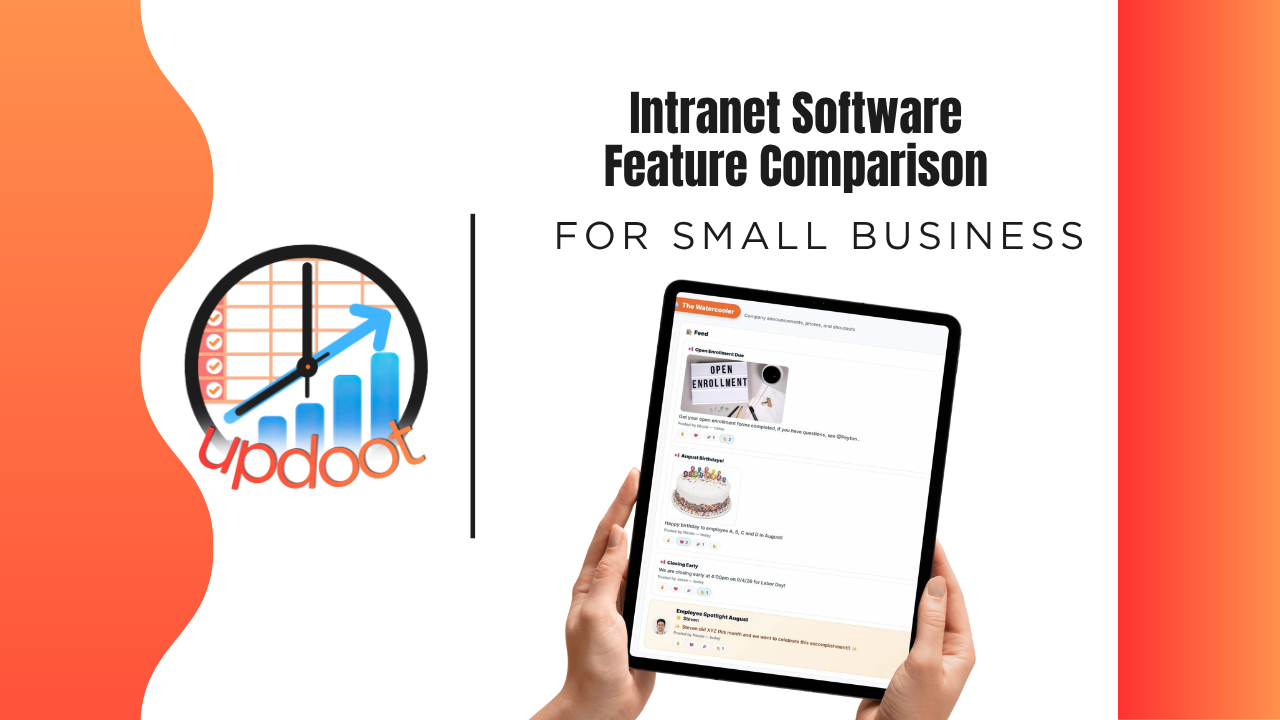
Updoot's intranet-style tools were built around the gaps described throughout this comparison, spread across a connected set of features rather than one standalone bulletin board. The Watercooler feed gives the whole company, remote and field staff included, one central place for announcements and employee spotlights that actually drive engagement instead of getting buried in an inbox.
SOPs and process documentation live in the same platform with role-based access control, so the right people see the right content without digging through a separate system. Org charts and employee records stay connected to real HR data instead of a static document, and Doot's Desk gives employees a live view of company health, not just cultural updates.
The bigger difference shows up beyond any single feature: because Updoot also includes time tracking, projects, and payroll in the same platform, the intranet isn't disconnected from the rest of how the business actually runs.
Sign up free and see how the full intranet, HR, and business visibility workflow works end to end.
Related Reading
Cloud Based Intranet for Small Business (+ Free Tool) →
Company Intranet Examples: What Great Employee Intranets Look Like →