
Best Invoice Software for Plumbers
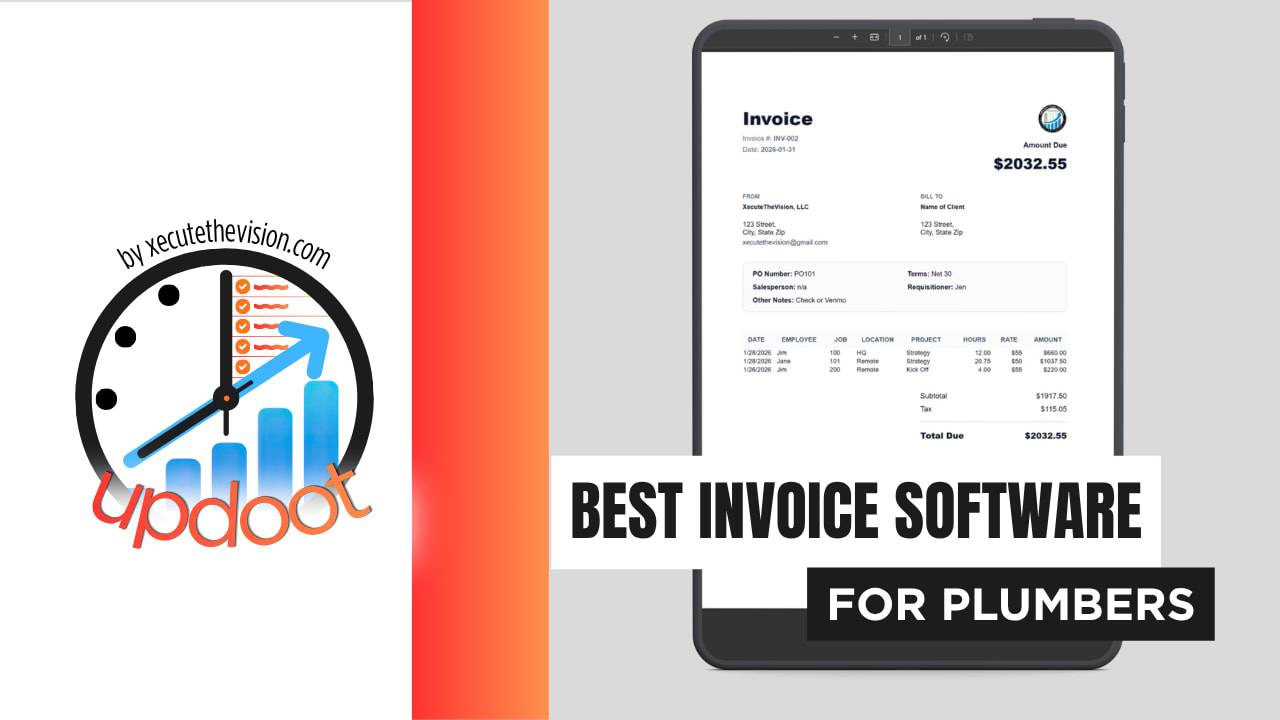
Use the free calculator below to see what manual invoicing is actually costing your plumbing company. A crew running multiple service calls a day needs every invoice to reflect exactly what parts and labor went into that specific job, built without the office having to reconstruct it from a paper ticket after the fact. Below is a free generator that estimates what manual billing costs across a year, plus how the leading plumbing invoicing tools compare.
Free Plumbing Invoicing Time Calculator
What Is Manual Invoicing Costing Your Plumbing Shop?
Enter your invoice volume and admin rate. Leave a field at 0 if it doesn't apply to your business.
What Plumbing Companies Actually Need from Invoice Software
A plumbing company needs time-and-materials invoicing that a technician can build from the truck, pulling labor hours and parts used directly into the bill rather than reconstructing it from memory or a paper ticket back at the office.
Job costing matters just as much, since a shop running repairs, installs, and service agreements needs to see true cost by job type, not a single undifferentiated labor number for the week, to know which kinds of calls are actually most profitable.
The third requirement is handling a crew that doesn't run a uniform day. A tech might run five short repair calls on Tuesday and a full-day install on Wednesday, and invoicing has to bill both correctly without anyone re-entering hours at the end of the week.
Finally, service agreements need their own billing track, separate from one-time repairs. Recurring maintenance revenue is some of the most predictable income a plumbing company has, and it's also the easiest to quietly under-price if the labor hours behind each visit aren't tracked against the agreement.
Techs in the Field vs. the Office
Techs need to build and send a time-and-materials invoice in a few taps between calls, with parts and labor pulled in automatically rather than typed from scratch. The office needs a different view: what's outstanding across every tech and every job, with overdue invoices flagged clearly rather than buried in a full list.
A tool that only handles one of these well pushes the other side of the shop into a manual workaround, usually a spreadsheet the office keeps "just in case" the software's own reporting isn't trusted.
Common Invoicing Mistakes in Plumbing
The most common mistake is under-billing parts because a tech forgot to log something used mid-repair, especially on an emergency call where the priority was finishing the job, not tracking every fitting. That's revenue that simply disappears.
The second is failing to apply after-hours or emergency rates consistently. If the rate depends on a tech remembering to apply a manual surcharge, some invoices will have it and some won't, and customers will notice the inconsistency before the office does.
The third is letting invoices sit unsent for days after the job is done. The longer the gap between finishing a repair and sending the bill, the more the invoice starts to feel disconnected from the work in the customer's mind, and the slower it tends to get paid.
Invoicing Repairs, Installs, and Service Agreements Separately
Most plumbing companies run three distinct kinds of work through the same crew, and billing them as one undifferentiated stream is where a lot of avoidable margin loss happens.
Repair and emergency calls
Short, often urgent, and dominated by parts plus a service or diagnostic fee. The risk is under-capturing parts used in the rush of an emergency call. When invoicing pulls directly from a parts list logged during the job rather than a tech's memory afterward, fewer fittings and fixtures go unbilled.
Installs and re-pipes
Longer, planned, and materials-heavy, usually quoted up front. The risk here is scope creep: a re-pipe that hits unexpected old plumbing absorbs hours that were never priced into the original quote. Logging hours to the specific install, not the week, shows how often that happens and lets the next quote build in a realistic contingency.
Service agreements and maintenance plans
Priced annually or seasonally, delivered on a recurring visit schedule, and rarely re-examined once set. Track hours per visit against the agreement and it's common to find the actual labor cost has crept above what the flat price assumed. That's a fixable pricing problem, but only if the hours are attributed to the agreement instead of absorbed into general service labor.
Late Payments and Cash Flow During Peak Season
Plumbing demand spikes hard during freeze events, storms, and the start of a hot or cold season, and that's exactly when the office is busiest and least likely to chase down slow payers. A backlog of unpaid invoices during the calmer weeks that follow can hit cash flow right when the crew needs new parts and equipment restocked.
Two things matter here. First, invoices need to go out the same day the job finishes, not batched at the end of the week, so payment terms start the clock as early as possible. Second, automated reminders on a fixed schedule catch late payers without anyone having to remember to follow up manually during a busy stretch.
Practically, look for a platform that lets a tech send an invoice with a payment link before leaving the property, since same-visit payment collection avoids the follow-up problem entirely. The calculator above is measuring exactly the kind of office time that a same-visit invoice removes.
Questions to Ask Before You Sign Up
- Can a tech build and send an invoice from the truck? If billing still requires a return trip to the office or a separate data-entry step, most of the speed advantage disappears.
- Does the invoice pull parts and labor from the job record automatically? Manual re-entry is where parts get missed and revenue quietly leaks out.
- Can after-hours or emergency rates be applied automatically? Ask specifically whether the rate is rule-based or depends on the tech remembering to add it.
- Is service agreement billing separate from one-time repair invoicing? Confirm the platform can run both without forcing agreements to be rebuilt as individual invoices each cycle.
- Is job costing on the plan you're pricing? On several platforms it sits a tier above the entry plan, which changes the real comparison.
- Can a customer pay directly from the invoice? A payment link that lets a customer pay on the spot collects money faster than any follow-up process can.
How We Evaluated These Tools
A note on where we stand: Updoot publishes this site and appears in the comparison below. Pricing and features for every tool here, Updoot included, were verified against each vendor's live pricing page or independent third-party sources in August 2026, and where a competitor beats us on a specific criterion we say so plainly.
For plumbing companies specifically, we weighted five things: time-and-materials invoicing built from job data rather than manual entry, support for after-hours and emergency rate rules, service agreement billing separate from one-time repairs, job-level labor cost reporting, and pricing that scales sensibly as the fleet grows.
How the Top Invoice Software Tools Compare for Plumbing
| Tool | Starting Price | Best For | Where It's Limited |
|---|---|---|---|
| Updoot ⭐ Best Overall | $5/user/month | Plumbing companies that want GPS time tracking and invoicing in one app, with parts added straight from Purchasing inventory | No dedicated dispatch or routing module |
| Housecall Pro | From ~$59-79/mo (Basic, 1 user) | Plumbing companies wanting scheduling, dispatch, and invoicing bundled together | GPS tracking and QuickBooks sync require the Essentials tier at ~$149-189/mo |
| Jobber | From ~$39/mo (Core, 1 user) | Plumbing companies wanting quoting, scheduling, and invoicing with room to add automation later | Job costing and two-way texting require the Grow tier; extra users run ~$29/mo each on team plans |
| QuickBooks Online | From ~$38/mo (Simple Start) | Shops that want invoicing bundled with full accounting and tax prep | Not built for field dispatch; time-and-materials invoicing from the truck requires a separate app |
Editor's Pick
Why Updoot Tops This List for Plumbing
Housecall Pro bundles dispatch and invoicing well but GPS and QuickBooks sync sit behind a pricier tier. Jobber covers quoting and invoicing but job costing requires an upgrade. QuickBooks Online is strong on accounting but isn't built around field time tracking. Updoot keeps GPS-based time tracking and invoicing in the same app, with parts added to the bill straight from your Purchasing inventory, at a flat $5 per user per month regardless of fleet size.
The right pick tracks crew size and call volume: a one or two-truck shop is well served by a leaner plan, while a company running multiple crews across repairs, installs, and service agreements needs job costing and billing rules that hold up as the call volume grows.
How Updoot Handles Time-and-Materials Invoicing
Updoot's time clock runs in the same app as invoicing, so a tech's hours, including GPS-verified clock-in and clock-out, are already sitting on the job when it's time to bill. Parts and materials get added to that same invoice manually, searched from the Purchasing inventory list and dropped in alongside the labor, so the office isn't jumping between two separate tools to build one bill.
Emergency and after-hours rate rules apply automatically based on when the work was logged, so a tech doesn't have to remember to add a manual surcharge. Service agreements bill on their own recurring schedule, separate from one-time repair invoicing, so neither gets lost in the other.
Time entries can be tagged to the exact job, project, and property location as a tech logs hours, and because invoicing lives inside the same system as job tracking, an invoice can be generated directly from the job itself. Project tools like Monday.com or Asana can track a job's status but have no billing functionality at all, so a shop using either one still needs a separate invoicing app and a manual step to connect the two. Updoot removes that step.
Rolling Out New Invoice Software to a Plumbing Crew
Start with one or two techs as a pilot for a week before rolling out to the full crew, so any parts-list or pricing setup issues surface early. Make sure your most common parts and service items are pre-loaded before go-live, since typing a part number from scratch on every job defeats the purpose of the switch. Keep the invoice-building flow simple enough that a tech can complete it in a few taps before leaving the driveway.
Connecting Invoice Data to Job Costing and Dispatch
Invoicing that stops at "sent" is doing half the job. In a plumbing company, the same job data should reach three places: the customer invoice, the payroll record, and the job cost report that shows whether the work was priced correctly.
When those live in separate systems, someone becomes the manual link between them, and that reconciliation step is where numbers drift. A tech logs three hours and four fittings, the invoice is built later from a paper ticket that says something slightly different, and nobody notices until the job cost report disagrees with both.
The question to ask a vendor isn't whether it integrates but what actually stays connected. Does an approved job become an invoice line automatically, or does someone still rebuild it? Does the job cost report draw from the same record as the bill? A platform that keeps parts, labor, invoicing, and job costing on one record removes the reconciliation step instead of automating around it.
Pricing and ROI for Plumbing
Invoice and field service software pricing in this category splits two ways: a flat monthly fee per plan tier, or a per-user rate that grows with headcount. Flat plans look cheaper on the pricing page and then hit a ceiling the moment you add a third or fourth tech, pushing the shop into a pricier tier. Per-user pricing is more predictable, but confirm that time-and-materials invoicing, job costing, and service agreement billing are included rather than sold as add-ons.
For a plumbing company the payback shows up in three places: parts and labor that stop going unbilled, office hours no longer spent rebuilding invoices from paper tickets, and service agreement pricing that finally reflects the real labor behind each visit. Most shops recover a paid plan inside the first month once those three are counted honestly.
Signs You've Outgrown Manual Invoicing
The tipping point usually shows up the same way in a plumbing company: invoices go out days after the job instead of the same day, a customer disputes a bill because a part or fee wasn't itemized clearly, and nobody can say with confidence whether service agreements are still priced correctly. When a paper ticket is the only record connecting a job to its bill, the shop has already outgrown manual invoicing.
Frequently Asked Questions
The best option is whichever one lets a technician build and send a time-and-materials invoice from the truck at the end of the job, pulling parts and labor from the same record used for job costing, instead of the office rebuilding it from a paper ticket later.
Yes, with good field service invoice software. A tech should be able to add parts and labor as the job happens and either hand the customer a digital invoice on the spot or send it by email or text before leaving the driveway.
Emergency rates typically differ from standard rates, so the invoice needs a way to flag after-hours work with its own pricing rule rather than relying on the tech to remember and apply a manual surcharge correctly every time.
Yes. Maintenance and service agreements are usually billed on a fixed schedule regardless of the actual visit, while repair and installation work is billed per job. Mixing the two into one invoicing process makes it hard to see whether either is actually priced correctly.
More than most owners expect, especially with a crew running several calls a day. Minutes spent rebuilding an invoice from a paper ticket, multiplied across a crew and a full year of service calls, regularly adds up to thousands of dollars in office time alone, before counting the payment delay.
Callback work under warranty should be logged and tracked even when it isn't billed, so the true labor cost of the original job, and how often it needs a return visit, stays visible instead of disappearing into unbilled hours.
For a one or two-truck operation with a short client list, a free tier can cover basic invoicing. Once time-and-materials billing, service agreements, and job costing become priorities, most free tiers stop being enough.
Final Takeaway
The best invoice software for plumbers is the one that turns a finished job into a sent, itemized bill before the truck leaves the driveway. Use the calculator above to see what manual invoicing is costing your shop right now, and if the number surprises you, that's usually the clearest sign it's time for a change.