
Software for Running a Small Business
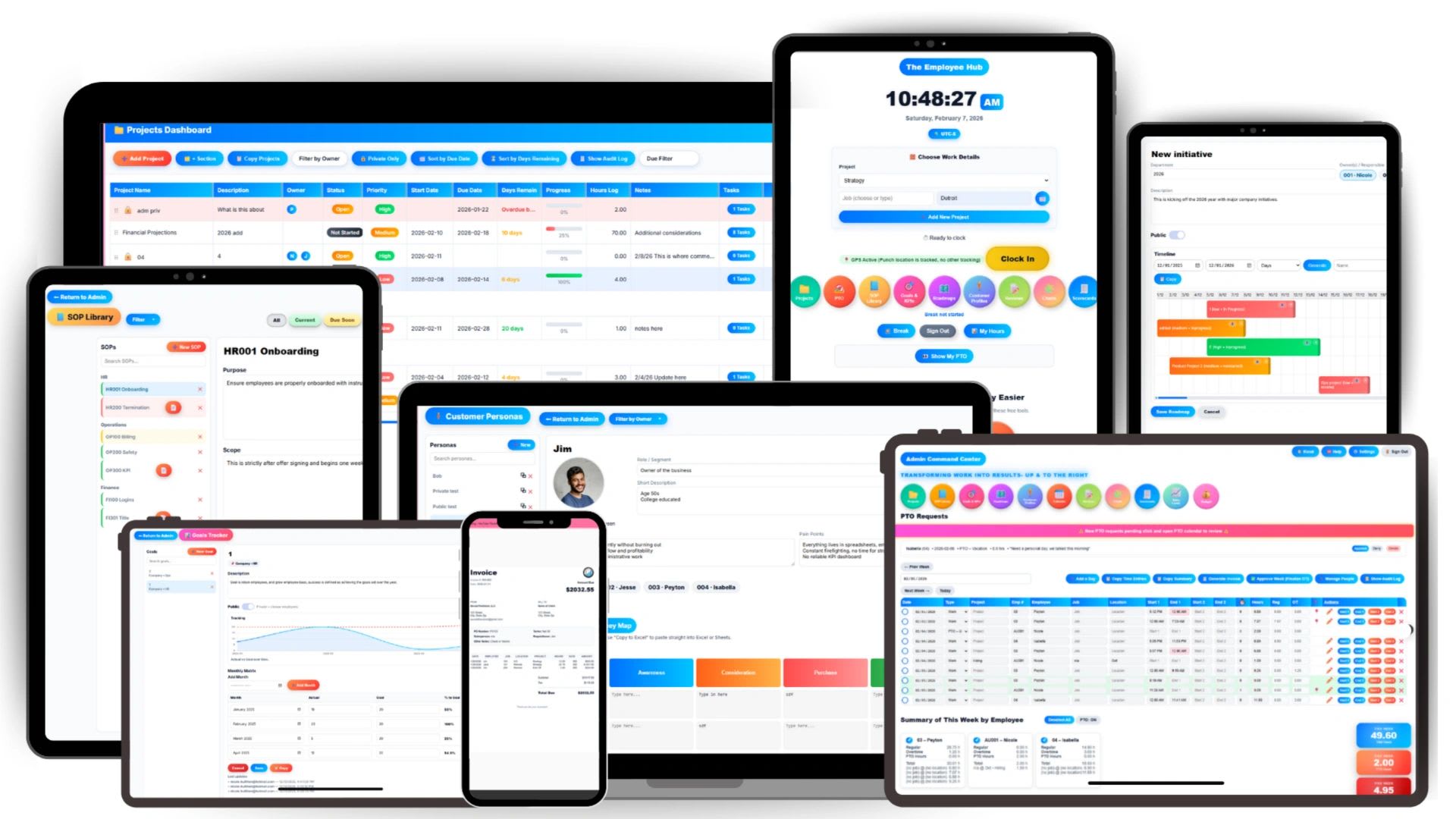
Software for running a small business should make your week easier, not add another login to remember. Most owners start with spreadsheets, email, and a handful of apps picked up along the way. It works until the team grows, and then nobody is quite sure where the latest schedule lives, who owns which project, or why the invoice does not match the hours.
The right software pulls those pieces together so you can see your people, work, customers, and money in one place. The wrong software, or too much of it, just moves the chaos somewhere new.
Here is what small businesses actually need, how to choose well, the mistakes to avoid, and a free calculator that shows what your current tool stack really costs.
Why Small Businesses Need Operations Software
Many small businesses run without formal systems at first. Work is tracked through conversations, spreadsheets, and whatever tool each person prefers. Over time, that creates predictable problems:
- Projects are hard to track because tasks are scattered across emails and documents.
- Ownership is unclear, so work slips and deadlines are missed.
- People waste time searching for information instead of doing the work.
- Customer, schedule, and project details live in different places and fall out of sync.
- Owners lack visibility into labor costs, capacity, and profitability until it is too late.
Operations software solves this by bringing core functions into one system, so information is entered once and everyone works from the same source.
The Core Software Every Small Business Needs
| Function | What It Does | Signs You Need It |
|---|---|---|
| Accounting | Books, expenses, taxes, financial statements | From day one |
| Time tracking | Records hours by employee, project, and client | Hourly staff, billable work, or payroll errors |
| Scheduling | Shifts, availability, coverage | Rotating shifts, field teams, frequent changes |
| Payroll | Calculates pay, taxes, and filings | Your first employee |
| Project management | Tasks, owners, deadlines, progress | More than one project or person at a time |
| CRM | Leads, customers, follow-ups, quotes | Deals falling through the cracks |
| HR and PTO | Employee records, time off, reviews, documents | Several employees and growing |
| Invoicing | Bills customers from quotes or tracked time | Invoicing takes hours or has errors |
| KPIs and budgeting | Goals, metrics, and budget vs. actual | You want decisions based on data |
You do not need nine separate products. Many of these functions can live in one platform, which is often simpler and cheaper.
What to Look For in Small Business Software
Centralized Visibility
You should be able to see who is working, what is on schedule, what projects are at risk, and how the numbers look, without opening five apps or building a report.
Ease of Use
Small businesses rarely have IT departments. If software takes weeks to learn, the team will drift back to spreadsheets. Look for something a new employee can use on day one, on a phone as well as a computer.
Connected Data
Time should flow into payroll and invoices. Quotes should become invoices. Employee records should feed scheduling and projects. Every time data has to be retyped, errors and wasted time follow.
Room to Grow
The right platform works at five employees and at fifty, so you are not forced to migrate everything as you grow. See how operations change by team size.
Predictable Pricing
Check what the software will cost at two and three times your current headcount, and whether key features are locked behind higher tiers.
Questions to Ask Before You Buy
- Does this replace tools we already pay for?
- Can the whole team learn it in an afternoon?
- Does it connect time, people, projects, customers, and billing?
- Will it still work when we double in size?
- What does it cost per user, and what is included at that price?
- Can we export our data if we ever leave?
Free Software Stack Cost Calculator
The subscription price is only part of what a tool costs. Every extra app adds logins, switching, and re-entering the same information. Use the calculator to see the full picture.
Free Software Stack Cost Calculator
List the tools you pay for, whether each is priced per user or as a flat monthly fee, and how many people use them. Add the time your team loses switching between tools and re-entering data. The calculator shows what your stack really costs each year.
Add a Tool
| Tool | Pricing | Monthly | Yearly |
|---|
Even a few minutes a day per person adds up quickly across a team and a year. That hidden time cost is often larger than the subscriptions themselves.
Common Mistakes When Choosing Small Business Software
- Too many disconnected tools. One app for time, another for projects, another for scheduling, and another for customers means constant switching and data that never quite matches.
- Buying enterprise software. Large-company systems are expensive, slow to set up, and full of features a small team will never use.
- Choosing on features alone. The tool your team actually uses beats the one with the longest feature list.
- Skipping setup. Even simple software needs clear rules for how it will be used.
- Waiting too long. Moving from spreadsheets at five employees is far easier than at thirty.
All-in-One Platform vs. Separate Apps
| Separate Best-of-Breed Apps | All-in-One Platform | |
|---|---|---|
| Setup | Several vendors, logins, and setups | One setup, one login |
| Data | Copied between tools or connected with integrations | Shared automatically across functions |
| Cost | Several subscriptions that grow with headcount | One subscription |
| Depth | Very deep in one area | Covers the core needs of each area |
| Best for | Large teams with specialists and admins | Small and growing businesses |
Specialist tools still make sense in some cases, such as your accounting software or an industry-specific system. The goal is to keep the number of tools small and make sure the ones you keep share data.
Features That Matter Most by Business Type
- Service businesses and agencies: time tracking by client and project, billable hours, project budgets, and invoicing from tracked time.
- Field service and construction: mobile clock-in, job-level time, scheduling and dispatch, customer profiles, and job costing.
- Retail and restaurants: shift scheduling, time clock kiosks, PTO, and labor cost tracking against sales.
- Professional firms: CRM and pipeline, quoting, SOPs, performance reviews, and utilization reporting.
- Growing startups: roadmaps, KPIs, onboarding, and HR records that scale with hiring.
Signs You Have Outgrown Your Current Tools
- Payroll takes hours because timesheets come from several places
- Nobody can answer "how profitable was that project?" without a spreadsheet
- New hires need logins to five or more apps on day one
- Customer details live in someone's inbox
- The same information is entered in two or more tools every week
If three or more of these sound familiar, it is time to consolidate.
How to Roll Out New Software
- Start with the biggest pain point, such as time tracking or scheduling, and set it up first.
- Import your data for employees, customers, and active projects.
- Write short how-to guides for the few tasks everyone does daily.
- Train the team in one session and name a go-to person for questions.
- Retire the old tool on a set date so people do not keep using both.
- Add the next function once the first is working smoothly.
Security and Data Ownership
Business software holds some of your most sensitive information: pay rates, customer details, and financial data. Before you commit, check a few basics. Access should be controlled by role, so employees see only what they need. Every change to hours, pay, or records should leave an audit trail. Data should be backed up automatically. And you should be able to export your data in a standard format if you ever switch providers. The FTC's cybersecurity guidance for small businesses is a helpful checklist for protecting that information.
What Good Software Changes Day to Day
When the right system is in place, the difference shows up in ordinary moments. Employees clock in and see their schedule on their phone. Managers approve timesheets in minutes instead of chasing paper. Owners check project progress and labor cost without asking anyone for a report. Invoices go out the day work is approved. And new hires find the procedures they need on their first morning instead of waiting for someone to explain.
How Updoot Brings It Together
Updoot combines time tracking, scheduling, project management, customer profiles and CRM, budgeting, KPI tracking, SOPs, HR, PTO, and payroll preparation in one platform built for small and growing businesses. Employees clock in, see their schedule, and track project time in the same place managers review progress and costs. Plans start at $5 per user per month. For a wider list of apps, see every small business app you need.
Final Thoughts
The best software for running a small business is the one your team uses every day and that keeps your people, projects, customers, and money connected. Start with your biggest pain point, avoid piling up disconnected apps, count the hidden cost of switching, and choose a platform that can grow with you.
Opens in Google Drive. View and download for free.
Related Reading
Every Small Business App You Need in a List →
Frequently Asked Questions About Software for Running a Small Business
What software does a small business need?
Most small businesses need accounting, payroll, time tracking, scheduling, project management, a CRM, HR and PTO tracking, and invoicing. Many of these can be handled by one all-in-one platform.
Why is business management software important?
It keeps people, projects, customers, and money in one place, reduces manual work and errors, and gives owners visibility into how the business is really performing.
How do you choose the right software for a small business?
Look for ease of use, connected data between functions, room to grow, predictable pricing, and whether it replaces tools you already pay for.
Is all-in-one software better than separate apps?
For most small businesses, yes. One connected platform avoids re-entering data, reduces switching between tools, and is often cheaper than several separate subscriptions.
When should a small business move off spreadsheets?
As soon as more than a few people rely on the same information, or when errors, missed deadlines, or payroll mistakes start appearing. It is much easier to switch early.
How much does small business software cost?
It varies widely. Add up subscriptions across all your tools and include the time lost switching between them to see the true cost, then compare it with an all-in-one option.