
Best Time Clock Software for Mechanics
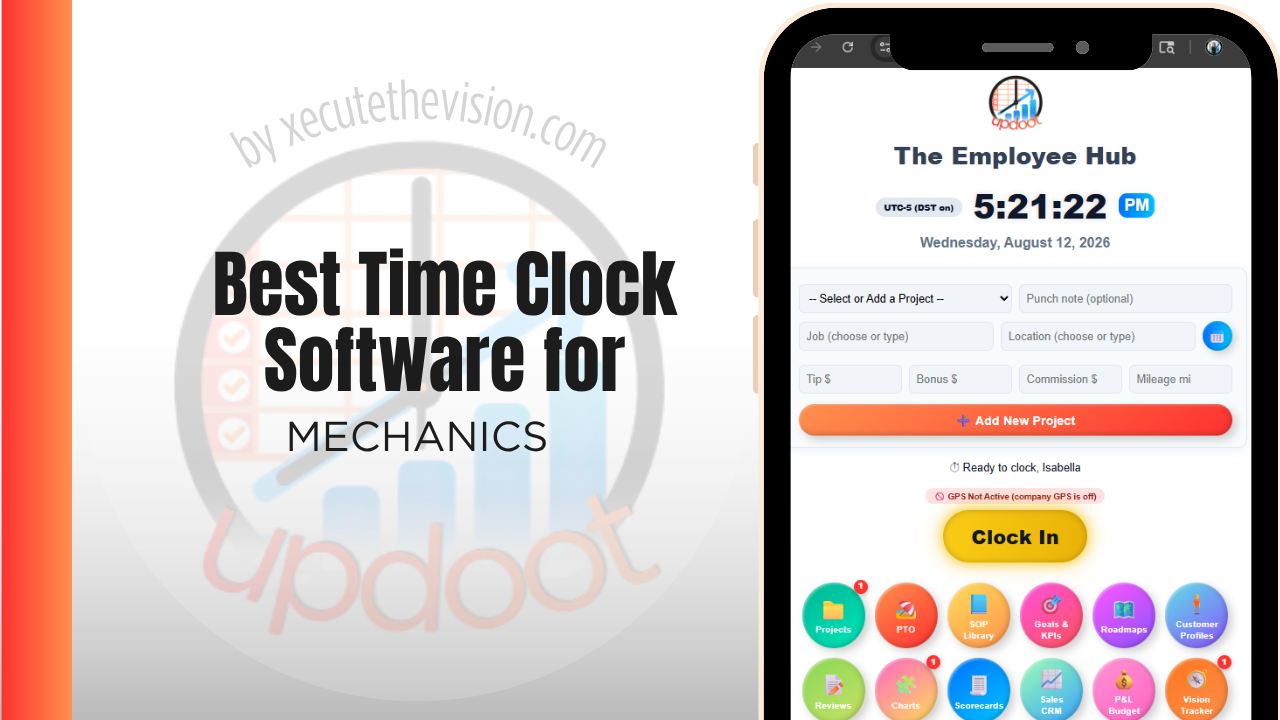
Use the free calculator below to see what timesheet rounding actually costs your shop. Auto repair shops bill labor against a flat-rate or billed-hours system per repair order, while technicians are paid based on actual clocked time, and the gap between those two numbers, known as technician efficiency, is one of the most important metrics a shop tracks. Below is a free generator that estimates what timesheet rounding costs across a year of shop staffing, plus how the leading tools compare.
Free Shop Labor Leakage Calculator
What Is Unrecorded Bay Time Costing Your Shop?
Enter your technician count and average wage. Leave a field at 0 if it doesn't apply to your shop.
What Auto Repair Shops Actually Need from Time Clock Software
A repair shop needs technician time tracked by repair order, not just clocked in and out for the day, since that's what makes it possible to calculate efficiency, how many billed hours a tech produced against the actual clock hours they worked.
Front counter and service advisor staff need simpler, straightforward hourly tracking tied to payroll rather than to individual repair orders, and a shop benefits from keeping the two clearly separated in reporting.
The third requirement is a clock that works on a shop floor rather than a phone. Technicians with their hands in an engine are not opening an app between operations, which is why a fixed kiosk or terminal at the bay entrance, with individual PINs or badges, tends to be the arrangement that actually gets used consistently.
The fourth is a clean handoff to the repair order. If clocked labor has to be typed into the shop management system afterwards, the numbers will drift apart, and the efficiency reporting built on top of them will be quietly wrong.
Flat-Rate Technicians vs. Hourly Service Staff
Technicians paid on a flat-rate or efficiency-based system need their clocked time tracked against specific repair orders to calculate productivity. Service advisors and front counter staff are usually paid a straightforward hourly or salaried rate. A system built only for one pay structure creates manual work reconciling the other.
Common Time Tracking Mistakes at Auto Repair Shops
The most common mistake is not tracking technician time against individual repair orders, which makes it impossible to calculate efficiency accurately or identify which technicians or job types are most productive.
The second is not accounting for non-billable time, like waiting on parts or vehicle diagnostics that don't get billed, which distorts a technician's true efficiency numbers if it's not tracked separately.
The third is relying on paper punch cards or a basic wall clock with no verification, which makes it easy for buddy punching to happen unnoticed in a busy shop.
Clocked Hours vs. Billed Hours: Reading the Gap
Every repair shop runs two clocks at once. One measures how long a technician was at work, and one measures the labor hours sold on repair orders. The relationship between them is the health of the shop, and most independent operators track only the first.
The comparison produces three useful signals. Technician efficiency is billed hours against clocked hours on flat-rate work, which tells you who is beating the labor guide and who is consistently behind it. Productivity is billed hours against hours available, which catches the tech who is efficient on the jobs they get but idle half the day because dispatch is uneven. Proficiency combines the two and is where staffing and training decisions actually get made.
The gap between clocked and billed hours is not waste by definition, because some of it is legitimate non-billable work. But when nobody measures it, the gap absorbs everything: comebacks, waiting on parts, cleanup, helping another tech, and genuine idle time all disappear into the same undifferentiated space. Once hours are logged against repair orders and internal codes, that gap resolves into named categories, and each one has a different fix.
Comebacks, Internal Work, and Waiting on Parts
Non-billable shop time is where margin leaks quietly, and it needs codes of its own rather than being left unassigned.
Comebacks
A vehicle returning for the same complaint costs labor twice and revenue once. Tracking comeback hours against the original repair order is uncomfortable and extremely valuable, because it shows whether the problem is a particular technician, a particular job type, or a parts supplier. Shops that measure it usually find it concentrated rather than spread.
Parts waiting and delivery delays
A tech standing beside a lift waiting on a delivery is fully paid and completely unproductive. Coded separately, this becomes an argument you can take to a supplier with numbers attached, or a reason to change stocking decisions on common items.
Internal and shop work
Cleaning, shop maintenance, moving vehicles, and helping on another bay are all real work that produces no invoice. They should be visible as a deliberate percentage of paid hours, not as an unexplained shortfall in efficiency reporting that makes a good technician look slow.
What to Verify Before You Roll It Out to the Bays
- Does kiosk mode support your headcount on one terminal? A shared shop-floor clock is the normal arrangement, so confirm it handles individual PINs, badges, or photo verification rather than an honor system.
- Can a tech clock to a repair order, not just to the shift? Without RO-level attribution, none of the efficiency reporting above is possible.
- How are flat-rate and hourly staff handled together? Service advisors and lot staff are hourly, technicians may not be, and a platform that assumes one model forces a workaround for the other.
- Does it export to your shop management system or payroll cleanly? Ask for the actual export format, not a promise of integration.
- Who can edit a punch, and is there an audit trail? Missed punches are guaranteed on a shop floor. Fixing them is fine; fixing them invisibly is not.
- What does it cost when you add a fourth or fifth tech? Price the tier you will be on in a year, not the one you qualify for today.
How We Evaluated These Tools
Full transparency: Updoot publishes this site and is included in the comparison below. Prices and features for every tool listed, ours among them, were verified against each vendor's live pricing page or independent third-party sources in August 2026, and where a competitor is the stronger fit for a shop floor we say so directly.
For auto repair shops specifically, we weighted five things: labor time tracked by repair order for technician efficiency reporting, separate straightforward tracking for hourly service staff, buddy-punch prevention at a shared shop clock, clean reporting for productivity by technician, and pricing that fits an independent shop.
How the Top Time Clock Tools Compare for Mechanics
| Tool | Starting Price | Best For | Where It's Limited |
|---|---|---|---|
| Updoot ⭐ Best Overall | $5/user/month | Shops wanting technician time tracked by repair order with payroll and invoicing on the same platform | No native shop management system (DMS) integration |
| Buddy Punch | From ~$4.49-5.49/user/mo plus a ~$19/mo base fee | Shops wanting photo ID verification and a kiosk mode for a shared shop-floor clock | No native repair-order-level efficiency reporting |
| Clockify | Free (basic); paid plans from ~$3.99-11.99/user/mo | Shops wanting simple project or job-level time tracking | No native scheduling, payroll, or efficiency reporting built for auto repair |
| ClockShark | From ~$20/mo base + ~$6-8/user/mo | Shops wanting GPS-verified clock-in if technicians travel to mobile repair jobs | Built more for field trades than in-shop bay-based repair work |
Editor's Pick
Why Updoot Tops This List for Mechanics
Buddy Punch verifies identity well but doesn't calculate repair-order-level efficiency. Clockify tracks jobs simply but has no payroll or scheduling built for a shop. ClockShark is built more for mobile field trades than in-bay repair work. Updoot ties technician time to individual repair orders, with payroll and invoicing on the same platform, at a flat $5 per user per month.
The right pick follows bay count: a two-tech shop can run on a leaner free tier, while a shop tracking efficiency across several technicians needs repair order codes and reporting that scale with the work.
How Updoot Tracks Labor by Repair Order
In Updoot, each repair order can be set up as its own project, with a technician's clocked time logged against it directly. That structure makes it possible to compare billed hours on the repair order against actual clock hours worked, which is the core of a technician efficiency calculation.
Non-billable time, like waiting on parts, can be tracked under its own code so it doesn't distort efficiency numbers for time that was never meant to be billed. All of this, along with payroll-ready reporting, is included in Updoot at $5 per user per month.
Rolling Out a New Time Clock at a Repair Shop
Start with one bay or one technician as a pilot before rolling out shop-wide, so any repair-order-code setup issues surface early. Make sure the shop's repair order numbering is reflected in the system before go-live, so technicians can log time against the correct job without extra steps. Set up photo or PIN verification from day one to close the buddy-punching gap at a shared shop-floor clock.
Using Efficiency Reports Without Losing the Technicians
Efficiency reporting is the most valuable output of time tracking in a repair shop and the fastest way to damage morale if it is introduced badly. Technicians know that a number attached to their name can be used against them, and a shop that rolls out tracking without explaining the purpose will get slow adoption and creative punching.
What works is being specific about what the numbers are for. Efficiency varies with the work assigned as much as the person doing it, so a technician who gets the diagnostic jobs will look worse than one running brake jobs all week, and that is a dispatch issue rather than a performance one. Reviewing efficiency alongside the job mix makes that visible and makes the conversation fair.
The other half is showing techs their own numbers rather than only reporting upward. A flat-rate technician has a direct financial interest in understanding where their hours go, and shops that share the data usually find techs identifying the bottlenecks themselves, most often parts delays and incomplete write-ups rather than anything happening in the bay.
Pricing and ROI for Mechanics
Two pricing models dominate: a flat monthly fee for a set number of users, or a per-user rate tied to headcount. Flat plans look cheaper until the shop adds a fourth tech and hits the tier ceiling. Per-user pricing forecasts better, but verify whether repair order or job codes, kiosk mode for a shared terminal, and labor reporting are included at that rate or sold as extras, because for a shop the kiosk and the job codes are the entire point.
For an independent shop the payback is measured in the gap between clocked and billed hours. Rounding losses stop, service advisors stop reconstructing timesheets by hand, and efficiency reporting by technician and repair order shows exactly where bay time is disappearing. A single recovered hour per tech per week typically covers the subscription several times over.
Signs You've Outgrown Manual Timesheets
In a repair shop the signals are specific: payroll takes longer every period, clocked hours and billed hours have drifted apart with no one able to explain the gap, and nobody can state technician efficiency without pulling repair orders and punch cards side by side. When a shared shop-floor clock is the only control and comeback work never gets attributed anywhere, the current system has stopped telling you anything useful about labor.
Related Reading
Best Time Tracking Software for Field Service →
The Best Time Clock Kiosk App and Software for Small Business →
Buddy Punching: Why It Happens & How to Prevent It →
Best Time Clock Software for HVAC →
Frequently Asked Questions
The best option is whichever one tracks technician clock time against individual repair orders, since that's what makes it possible to calculate technician efficiency, one of the most important productivity metrics in a repair shop.
Efficiency compares the billed hours a technician produced on repair orders against the actual clock hours they worked. Software that ties clocked time to specific repair orders makes this calculation automatic instead of a manual end-of-month exercise.
It should be logged under its own code, separate from billable repair order time, so time spent waiting on parts or performing free diagnostics doesn't distort a technician's efficiency numbers.
Their pay structures differ, but both should be tracked accurately. Technicians need time tied to repair orders for efficiency reporting, while service advisors typically just need straightforward hourly tracking for payroll.
PIN codes tied to each employee and photo capture at the moment of the punch are the two most common methods, both of which make it harder for one technician to clock in for another at a shared terminal.
For a small shop with a couple of technicians, a free or low-cost tier can cover basic clock-in. Once repair-order-level efficiency reporting becomes a priority, most free tiers stop being enough.
More than most owners expect, since rounding errors directly distort efficiency calculations as well as payroll cost. A few minutes of rounding per shift, multiplied across a shop's technician roster over a year, adds up meaningfully.
Final Takeaway
The best time clock software for auto repair shops is the one that ties technician time to individual repair orders and makes efficiency easy to see. Use the calculator above to see what timesheet rounding is costing your shop right now, and if the number surprises you, that's usually the clearest sign it's time for a change.