
Best Invoice Software for Small Business
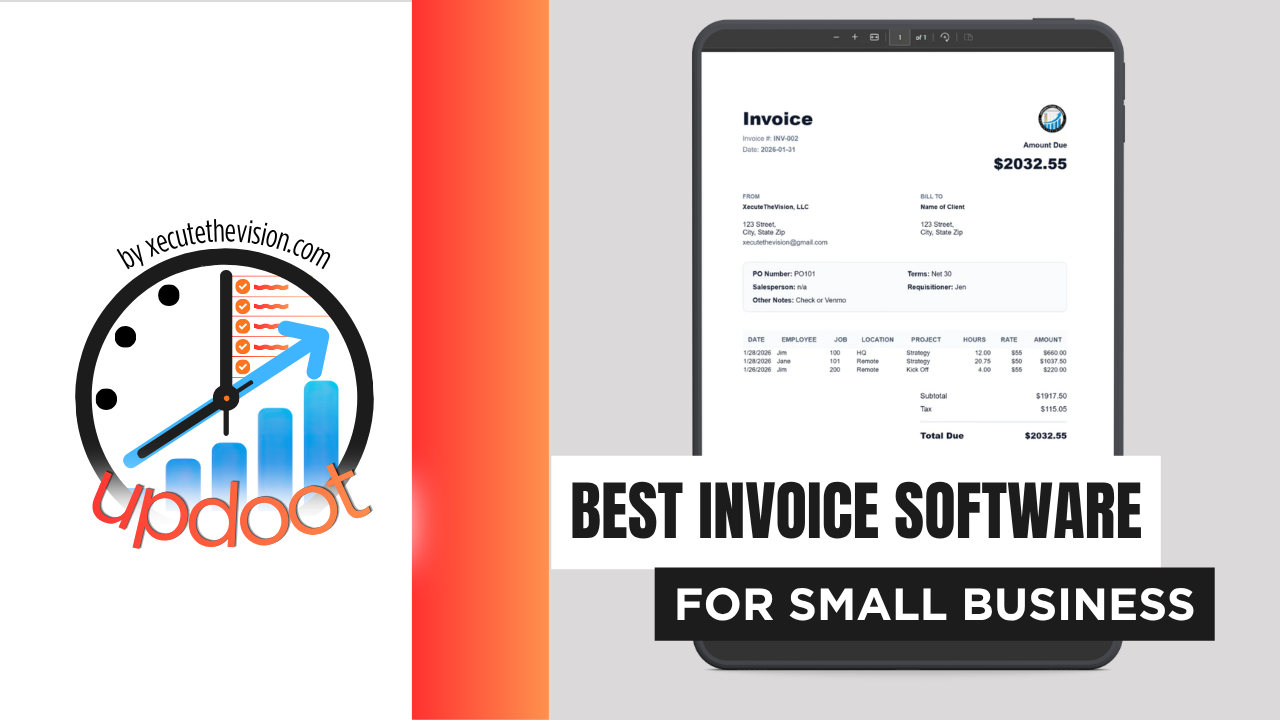
Use the free calculator below to see what manual invoicing is actually costing your small business. Every invoice that has to be typed from scratch, chased down, or reconciled against a spreadsheet is office time that could be spent on the work itself. Below is a free generator that estimates what invoicing and late-payment follow-up cost across a year, plus how the leading small business invoicing tools compare.
Free Small Business Invoicing Time Calculator
What Is Manual Invoicing Costing Your Office Each Month?
Enter your invoice volume and admin rate. Leave a field at 0 if it doesn't apply to your business.
What Small Businesses Actually Need from Invoice Software
A small business needs an invoice that goes out the door correctly the first time, built from the actual hours or line items completed rather than retyped from a notebook or a separate timesheet. The fewer places a number has to be copied between, the fewer chances it has to come out wrong.
Visibility into what's outstanding matters just as much as sending the invoice. An owner or bookkeeper should be able to see, at a glance, which invoices are current, which are approaching due, and which are actually overdue, without opening each client's file individually.
Recurring and retainer billing is the third requirement for any business with repeat clients. A landscaping contract, a maintenance retainer, or a monthly service fee should generate and send itself on schedule, not depend on someone remembering to build it from scratch every cycle.
Finally, small businesses need invoicing that scales down as easily as it scales up. A one-person shop and a ten-person team should both be able to use the same tool without paying for capacity, seats, or modules that only make sense at a much larger size.
Who Sends Invoices vs. Who Chases Payment
In most small businesses, one person creates invoices and a different person, sometimes the same one wearing a second hat, is responsible for following up when they go unpaid. Invoice software that only handles creation well leaves the collections half of the job as a manual habit, tracked in someone's head or a sticky note.
The strongest tools separate these two views without separating the data: one screen to build and send, another to see what's aging, so the person chasing payment is working from the same record as the person who sent the bill.
Common Invoicing Mistakes in Small Business
The most common mistake is treating invoicing as a task that happens after the real work is done, rather than a continuation of it. Waiting until the end of the week or month to build invoices from memory introduces errors and delays payment by however long that gap runs.
The second is sending invoices with missing or vague line items. A client who has to ask what a charge was for is a client who delays payment until they get an answer, and that delay is entirely avoidable with a system that pulls the description straight from logged work.
The third is having no consistent follow-up cadence. Some invoices get chased within days, others sit for months because nobody owns the aging report, and the inconsistency itself trains certain clients to pay last.
Invoicing One-Time Work, Retainers, and Recurring Billing Separately
Small businesses rarely bill everyone the same way, and treating every invoice as identical is where a lot of avoidable admin time gets lost.
One-time project or sale invoices
Built once for a specific job, quote, or purchase. The risk here is scope creep that never makes it onto the bill: extra hours or materials that got added along the way but were never captured on the invoice. When line items are pulled from logged hours and expenses rather than typed from memory, the invoice matches what was actually delivered.
Retainers and subscriptions
Fixed and recurring, but easy to under-review because the amount rarely changes. The problem is scope drift in the other direction: a retainer client who has quietly grown to require twice the work the retainer was priced for. Tracking hours against the retainer, even though the invoice itself doesn't change, is what surfaces that gap before it becomes a renewal conversation nobody wants to have.
Milestone and deposit billing
Common for larger projects, where a deposit is collected up front and remaining balances are billed at defined points. Missing a milestone invoice because nobody flagged that the trigger had been hit is a common and entirely preventable cash flow gap. A system that ties invoicing to project status, rather than a calendar reminder someone has to set manually, closes that gap.
Late Payments and Cash Flow During Slow Season
Cash flow gets tightest for small businesses exactly when there's the least slack to absorb it, typically a slow season when new revenue is down and existing receivables matter more than usual. That is precisely when a handful of late payers, easily ignored during a busy stretch, becomes a real problem.
Two things matter here. First, an aging report that's actually reviewed on a schedule, not just available if someone thinks to look. Second, automated reminders that go out a few days before and after a due date without anyone having to remember to send them, so a late invoice gets a nudge on day three instead of day thirty.
Practically, look for a platform that flags overdue invoices clearly on a dashboard rather than burying them in a full list, and that lets a reminder go out with one click instead of drafting a new email each time. The businesses that get paid fastest are usually not the ones with the toughest collections process, they're the ones where a late invoice simply can't stay invisible for long.
Questions to Ask Before You Sign Up
- Does invoicing pull from logged hours or job records automatically? If line items still have to be typed in by hand, most of the time savings disappear no matter how nice the invoice template looks.
- Is recurring billing included, or is it a separate add-on? Retainer and subscription billing sits behind a higher tier on several platforms, which changes the pricing comparison significantly.
- How many clients or invoices does the entry plan actually allow? Client caps on entry-level plans are common and force an upgrade sooner than the sticker price suggests.
- What does the aging or overdue view actually show? Ask to see it during a trial. A report that requires filtering and sorting to find what's overdue will simply not get checked as often as it should.
- Are automated payment reminders included? Confirm whether reminders are truly automatic on a schedule, or whether someone still has to trigger each one manually.
- What happens to your invoice history if you cancel? Ask specifically about exporting past invoices and client records before signing up, not after you've decided to leave.
How We Evaluated These Tools
A note on where we stand: Updoot publishes this site and appears in the comparison below. Pricing and features for every tool here, Updoot included, were verified against each vendor's live pricing page or independent third-party sources in August 2026, and where a competitor beats us on a specific criterion we say so plainly.
For small businesses specifically, we weighted five things: invoices built from logged hours or job data rather than manual entry, clear visibility into what's overdue, recurring and retainer billing support, straightforward per-user pricing without client caps, and how the tool handles the business as it grows from a handful of clients to dozens.
How the Top Invoice Software Tools Compare for Small Business
| Tool | Starting Price | Best For | Where It's Limited |
|---|---|---|---|
| Updoot ⭐ Best Overall | $5/user/month | Small businesses that want invoicing built on the same hours, budgets, and client records as the rest of the business | No dedicated inventory or manufacturing module |
| QuickBooks Online | From ~$38/mo (Simple Start) | Businesses that want invoicing bundled with full accounting and tax prep | Plus tier jumped to $140/mo in August 2026; project and time tracking sit above the entry plan |
| FreshBooks | From ~$23/mo (Lite, 5 clients) | Service businesses and freelancers who want clean, simple invoices | Single user included; client caps force an upgrade as the business grows, and each teammate is billed separately |
| Wave | Free (paid add-ons for payments and payroll) | Very early-stage businesses sending a small number of invoices with a tight budget | Support and automation are thin once volume or team size grows |
Editor's Pick
Why Updoot Tops This List for Small Business
QuickBooks Online handles accounting well but its higher tiers got significantly more expensive in August 2026, and time tracking sits above the entry plan. FreshBooks is clean and simple but caps clients on its cheapest tier and bills each teammate separately. Wave is free but thin on automation once a business grows. Updoot ties invoicing to the same hours, budgets, and client records as the rest of the business, at a flat $5 per user per month regardless of client count.
The right pick tracks how a business actually bills: a solo operator sending a few invoices a month is well served by a lean free tier, while a business juggling one-time jobs, retainers, and recurring billing needs invoicing that's built into daily operations rather than bolted on separately.
How Updoot Handles Invoicing for Small Business
In Updoot, every invoice pulls directly from logged hours and project records, so line items reflect the work actually completed rather than a manual re-entry of a timesheet or job note. Recurring invoices for retainers and subscriptions generate and send on schedule without anyone having to rebuild them each cycle.
The dashboard surfaces what's outstanding and what's overdue without requiring a separate report to be pulled, and reminders can go out with one click. All of it, invoicing, time tracking, project budgets, and client records, lives on the same platform at $5 per user per month.
Time entries can be tagged to the exact project, client, and location as work happens, and because invoicing lives inside the same system as project management, an invoice can be generated directly from the project itself. General project tools like Monday.com or Asana track tasks and timelines well but don't handle billing at all, so a team using either one still needs a separate invoicing app and a manual step to connect the two. Updoot skips that step entirely.
Rolling Out New Invoice Software to a Small Business
Start by migrating your active clients and open invoices first, and let closed, paid invoices stay in the old system for historical reference rather than trying to import everything at once. Set up recurring billing for retainers before go-live so nothing gets missed in the first cycle. Run one full billing cycle in parallel with the old process if the switch happens mid-month, so nothing falls through the transition.
Connecting Invoice Data to Bookkeeping and Client Profitability
Invoicing that stops at "sent" is doing half the job. In a small business the same invoice data should answer two more questions: is this client actually profitable once the hours behind the invoice are counted, and does the bookkeeping software have accurate, timely numbers without someone re-entering them.
When invoicing, time tracking, and bookkeeping live in separate tools, someone becomes the human sync between them, and that reconciliation step is where numbers quietly drift. An invoice says one total, the hours logged for the job say another, and nobody notices until year-end, when the gap is much harder to explain.
The question to ask a vendor is not whether it exports to accounting software but what stays connected automatically. Does a sent invoice update the client's running balance without a manual sync? Does the profitability view use the same hours that generated the invoice? A platform that keeps invoicing, time, and client records on one record removes the reconciliation step rather than automating around it.
Pricing and ROI for Small Business
Invoice software pricing splits two ways in this category: a flat fee with client caps that force an upgrade as the business grows, or a per-user rate that stays predictable regardless of client count. Client-capped plans read cheaper at first glance and then force a tier jump the moment a business adds its sixth or fiftieth client, depending on the vendor. Per-user pricing is more predictable, but confirm that recurring billing and payment reminders are included rather than sold separately.
For a small business the payback shows up in three places: the office hours no longer spent building invoices from scratch, the late payments that get caught days sooner instead of weeks later, and the client-profitability visibility that shows which retainers are actually priced right. Most small businesses recover a paid plan within the first billing cycle once those three are counted honestly.
Signs You've Outgrown Manual Invoicing
The tipping point usually looks the same across small businesses: invoicing takes longer every month as the client list grows, nobody can say with confidence which invoices are actually overdue without pulling a report by hand, and retainer clients get billed late often enough that it's become a running joke rather than an exception. When a spreadsheet is the only record of who owes what, manual invoicing has already stopped keeping up with the business.
Related Reading
Best Invoice Software for Plumbers →
Best Invoice Software for Contractors →
Frequently Asked Questions
The best option is whichever one turns logged hours or completed work into a client-ready invoice without re-entering anything, and makes it obvious at a glance which invoices are overdue. For most small businesses that means matching invoicing to the same record as time tracking and job or client budgets, not running invoicing as a disconnected app.
A free tier can carry a business sending a handful of invoices a month to a short, stable client list. Once volume grows, recurring billing starts, or more than one person needs to see what's outstanding, most free tiers stop being enough and the manual workarounds start costing more than a paid plan would.
More than most owners expect once billing, chasing, and reconciling payments are all counted honestly. A business sending even a modest number of invoices a month, each with a few minutes of data entry and a share needing a follow-up call or email, loses real staff hours every month that a connected system would eliminate.
For a business that bills by the hour or by the project, yes. When invoicing pulls directly from logged hours instead of someone re-typing a timesheet into a separate billing tool, the two numbers cannot drift apart, and the office spends less time reconciling one against the other.
A one-time invoice is generated once for a specific job or sale. Recurring billing automatically generates and sends the same invoice on a set schedule, for retainers, subscriptions, or maintenance plans, without anyone having to remember to create it each cycle.
Automated reminders sent a few days before and after a due date catch most late payments before they need a phone call. For invoices that go well past due, a system that flags them clearly, rather than burying them in a general list, keeps the follow-up from falling through the cracks.
It's worth checking the math before deciding either way. If invoicing already lives on the same platform as time tracking and client records, and someone reviews the aging report weekly, switching may not pay for itself. If invoicing is a separate step from everything else, the calculator above usually shows a switch pays for itself inside the first year.
Final Takeaway
The best invoice software for a small business is the one that builds bills from the work you actually did and makes it impossible to lose track of who still owes you money. Use the calculator above to see what manual invoicing is costing your office right now, and if the number surprises you, that's usually the clearest sign it's time for a change.