
Compare Best Risk Register Software Features: The Free Cheatsheet
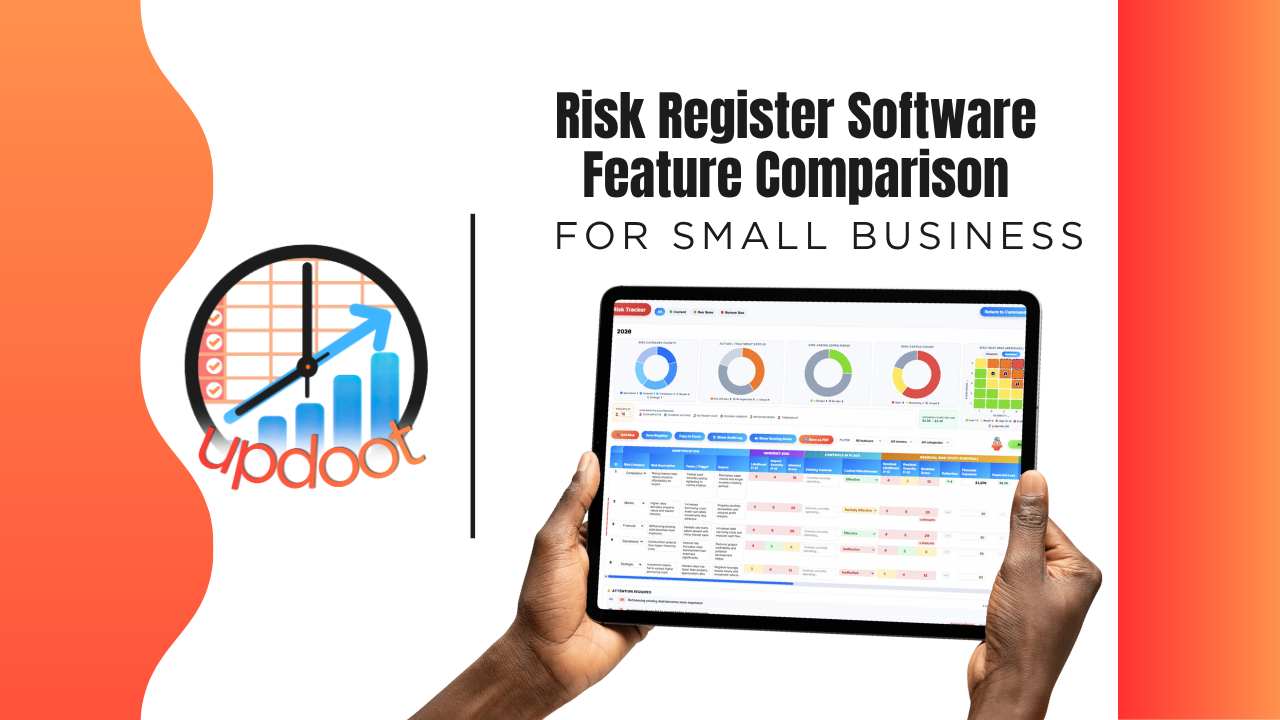
If you've looked at risk register tools, you already know the pitch sounds the same everywhere: log your risks, track them, review them. What actually separates a risk register leadership actually checks from a spreadsheet someone fills out once and forgets shows up in the details, whether overdue reviews actually get flagged, whether a dashboard shows the current picture at a glance, and whether the register connects to the projects and processes the risks are actually tied to.
This guide breaks down the risk register features worth comparing, organized the way you'd actually evaluate a vendor, plus a free interactive cheatsheet you can filter by category and print or copy into your own comparison sheet.
On this page
- Why comparing risk register features actually matters
- Risk identification and documentation features to compare
- Status tracking features to compare
- Visibility and reporting features to compare
- The interactive risk register feature cheatsheet
- Free vs. mid-tier vs. all-in-one risk register software
- Red flags to watch for when evaluating vendors
- How Updoot compares
- Frequently asked questions
Why Comparing Risk Register Features Actually Matters
Nearly every risk register tool on the market can do the baseline job: hold a list of risks. That's table stakes, not a differentiator, which is exactly why comparing tools on "can it list risks" gets you nowhere. The real differences live one layer deeper, in the features that determine whether a risk register stays a living document leadership actually references, or becomes a spreadsheet someone filled out once for a compliance checkbox and never opened again.
A register with no status tracking still means nobody can tell at a glance which risks are still open and which have been resolved. A tool with no due-soon or overdue flags still means a risk that needed review three months ago just sits there unreviewed. A register disconnected from the rest of the business still means risk data lives in isolation from the projects and processes it's actually describing. None of these gaps show up in a five-minute demo. They show up the day a risk that should have been reviewed turns into an actual problem.
That's the lens for this whole comparison: not "does the feature exist," but "does the feature keep the register something people actually check, or does it just give you a place to write risks down once."
Risk Identification and Documentation Features to Compare
This is where a risk register starts, and where the foundation for everything after it gets built.
Structured risk logging
Compare whether the tool gives every risk a consistent structure, description, category, owner, versus a free-text list where every entry looks different depending on who wrote it.
Categorization by type or department
Look for the ability to group risks by category or department, so leadership can see, for example, which risks are operational versus financial versus compliance-related at a glance.
Clear ownership assigned to each risk
Every risk should have someone responsible for monitoring it. Compare whether ownership is a real assignable field, not just an assumption about who's supposed to be watching it.
Status Tracking Features to Compare
This is where a register either stays current or quietly goes stale.
Clear status on every risk
Compare whether each risk has a visible status, open, in progress, resolved, so anyone reviewing the register can immediately see what still needs attention versus what's already been handled.
Due-soon and overdue review flags
A risk that isn't reviewed on schedule tends to fall out of anyone's attention entirely. Look for a tool that proactively flags risks coming up for review or already overdue, rather than relying on someone remembering to check.
Visibility and Reporting Features to Compare
This is where the gap between "a list" and "a tool leadership actually uses" gets the widest.
A full dashboard view
Compare whether the register offers a dashboard showing the current state of all risks at a glance, versus a flat list that requires scrolling and manual filtering to get any real sense of the overall picture.
Exportable and printable reports
Look for the ability to export or print the register cleanly, useful for board meetings, audits, or sharing with stakeholders who don't have direct access to the platform.
Interactive Cheatsheet: Compare Best Risk Register Software Features
Filter by category to compare what free risk tracking tools, mid-tier GRC apps, and Updoot typically include. Print it for your notes or copy it as a table you can paste straight into Excel or Google Sheets.
Updoot bundles everything on this list into one flat per-user price, not a stack of add-ons piled on top of a mid-tier tool's cost. You get full-platform coverage without paying for five separate subscriptions to get there.
| Feature | Free / Basic Trackers | Mid-Tier GRC Apps | Updoot |
|---|
Comparisons reflect typical feature availability across the category as of 2026 and can vary by specific vendor and plan tier. Some dedicated GRC (governance, risk, and compliance) platforms include formal likelihood and impact scoring or mitigation workflows that go beyond a general-purpose work management platform, which is reflected honestly above.
Free vs. Mid-Tier vs. All-In-One Risk Register Software
Looking at the cheatsheet above, a pattern emerges: free and basic risk trackers reliably hold a list and not much else. Mid-tier GRC (governance, risk, and compliance) apps close the gap significantly, often including formal scoring matrices and mitigation workflows built specifically for compliance-heavy industries. All-in-one work management platforms take a different approach, prioritizing status visibility and connection to the rest of the business over deep, specialized risk-scoring methodology.
Which approach fits depends on what you actually need. A business in a heavily regulated industry with formal compliance requirements may genuinely need a dedicated GRC platform with scoring matrices and audit trails built for that purpose. A growing business that wants risk visibility connected to its projects, SOPs, and day-to-day operations, without buying a separate specialized compliance tool, is often better served by a register built into a broader work management platform.
Red Flags to Watch For When Evaluating Vendors
A few patterns are worth watching for during a demo or trial, regardless of which tier of product you're considering.
A register with no status field at all. If there's no clear way to mark a risk as open, in progress, or resolved, you're looking at a static list, not a working tool.
No review reminders. A risk register that never prompts anyone to revisit old entries tends to accumulate outdated risks that nobody's actually thinking about anymore.
"Dashboard" that's just the same list with a different label. Ask to see an actual visual summary, not a filtered version of the same flat table.
Risk data disconnected from the rest of the business. If risks aren't connected to the projects, processes, or teams they actually relate to, the register becomes an isolated exercise instead of something that informs real decisions.
How Updoot Compares
Updoot's risk register is built around visibility and status, not a specialized compliance-scoring engine, and it's worth being upfront about that distinction. Every risk gets a clear status, current, due soon, or overdue, so nothing sits unreviewed without anyone noticing, and a full dashboard shows the current state of every logged risk at a glance instead of requiring someone to scroll and filter a flat list.
Where Updoot's risk register stands apart is what it's connected to: because it lives in the same platform as projects, meetings, and SOPs, a risk isn't an isolated entry in a separate compliance tool, it's tied to the actual work and processes it relates to.
If your business needs a formal likelihood-and-impact scoring matrix or structured mitigation workflows for regulatory compliance, a dedicated GRC platform may be the better fit for that specific need. If you want risk visibility connected to the rest of how your business actually runs, Updoot's register is built for that.
Sign up free and see how the full risk, project, and process workflow works end to end.
Related Reading
Risk Register: What It Is, How to Build One, and a Free Template →
Business Operations Software: What It Is and How to Choose (2026) →
How to Achieve Operational Excellence for Growing Businesses →