
Agenda and Meeting Management Software: Minutes, Agenda Types, and Vision Tracking
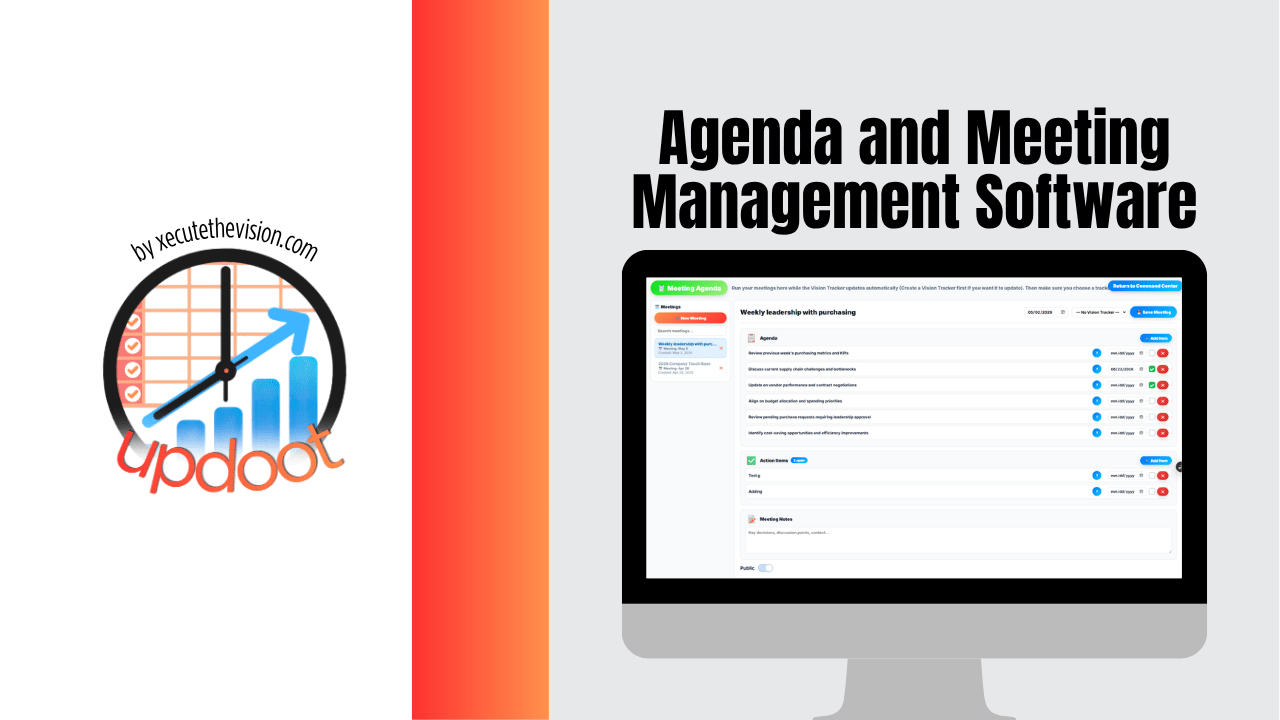
Most meetings don't fail because the wrong people showed up. They fail because there was no real agenda, nobody wrote down what was decided, and no one could say afterward how the conversation connected to anything the company was actually trying to accomplish. Agenda and meeting management software exists to fix that specific gap: giving every meeting a clear structure going in, a real record coming out, and, ideally, a direct line back to the goals the meeting was supposed to move forward in the first place.
Quick Answer
Agenda and meeting management software is a tool that combines agenda planning, meeting minutes, and action item tracking in one place, usually connected to the goals or milestones the meeting is meant to support. Look for shared editable agendas, minute-taking in the same tool, trackable action items, and calendar integration as the core must-haves; treat AI transcription and governance-grade permissions as extras that matter for specific team types, not everyone.
The stakes here are bigger than most companies realize. Research from Harvard Business Review has found that only around 37% of meetings run with an actual agenda, and estimates from Atlassian put the annual cost of unproductive meetings in the U.S. at roughly $37 billion, with tens of billions of hours lost industry-wide. Separate research on meeting follow-through has found that a large share of action items discussed out loud are never actually written down anywhere. Agenda and meeting management software exists specifically to close those two gaps: giving a meeting real structure before it starts, and a record that survives after it ends.
What Is Agenda and Meeting Management Software?
Agenda and meeting management software is a tool built to plan meeting agendas ahead of time, capture what happens during the meeting, and track the follow-up afterward, all inside one system instead of a patchwork of calendar invites, sticky notes, and someone's personal notebook. At minimum, this kind of software typically includes agenda templates and builders, a shared space to add topics before the meeting starts, a way to capture minutes during the meeting, and a mechanism for assigning and tracking action items once it ends.
The value isn't just organization for its own sake. A meeting with a clear agenda and a real record afterward runs shorter, stays on topic, and produces decisions people actually follow through on. A meeting without either of those things tends to expand to fill whatever time was scheduled, wander into unrelated topics, and leave everyone with a slightly different memory of what was actually decided.
What Meeting Minutes Actually Are
Meeting minutes are the written record of what happened during a meeting. At a basic level, good minutes capture who attended, the key points discussed, any decisions that were made, and the specific action items assigned along with who owns each one. They are not a full transcript, and trying to capture one usually makes minutes less useful, not more, since the point is a record someone can scan in two minutes and understand what happened and what's expected of them next.
Minutes matter for a few concrete reasons. They give people who couldn't attend a way to catch up without pulling someone aside to explain everything that happened. They create accountability, since an action item written down with an owner and a due date is far more likely to get done than one mentioned verbally and never recorded. And over time, they build an institutional record, so six months later nobody has to rely on memory to settle a dispute about what was actually agreed to in a meeting.
What Good Meeting Minutes Include
- Date, time, and attendees (and who was invited but absent)
- The agenda items actually covered, in the order discussed
- Key decisions made, stated clearly and without ambiguity
- Action items with a named owner and a due date
- Anything explicitly tabled or deferred to a future meeting
Common Types of Meeting Agendas
Not every meeting needs the same agenda structure, and using the wrong format is a common reason meetings run long or feel unproductive. A few formats show up across most companies:
- The structured list agenda. Topics are listed in order, often with a time allotment next to each one. This is the most common format and works well for standard team meetings with a handful of discrete topics to cover.
- The action-based agenda. Organized around decisions that need to be made rather than topics to discuss, this format works well for meetings where the goal is specifically to resolve something, not just to update the group.
- The roundtable agenda. Each attendee gets equal time to share updates or blockers. Common in smaller teams or standups, this format keeps everyone's voice in the meeting but can run long if not timed carefully.
- The goal-review agenda. Structured around progress toward specific objectives or milestones rather than general topics. Instead of "marketing updates," the agenda item is "progress toward Q3 lead generation goal." This format keeps a meeting anchored to outcomes rather than activity.
- The one-on-one agenda. A lighter, recurring format between a manager and a direct report, usually blending status updates, blockers, and longer-term development topics in a consistent structure meeting to meeting.
Most teams end up using a mix of these depending on the meeting's purpose, and the mistake to avoid is using the same format for every meeting regardless of what that meeting is actually trying to accomplish. A weekly status meeting run like a goal-review meeting will drag; a quarterly goal-review meeting run like a loose roundtable will lose the thread entirely.
Key Features to Look For When Evaluating Meeting Software
Most agenda and meeting management tools cover the basics: you can type up a list of topics and share it before a call. The features below are what actually separate a tool that saves your team time from one that just digitizes the same disorganized process.
Agenda Templates and Builders
A reusable template for each recurring meeting type, weekly status, one-on-one, board meeting, saves the ten minutes someone would otherwise spend rebuilding the same structure from scratch every time. Look for software that lets you save a template per meeting series rather than starting from a blank page each week.
Real-Time Collaborative Agendas
The best agendas are built before the meeting, not during it. Software that lets every attendee add their own topics to a shared agenda in the days leading up to the meeting produces a more complete, more relevant agenda than one written entirely by whoever scheduled the call, and it surfaces topics that might otherwise get raised as a surprise mid-meeting.
Minute-Taking and Meeting Notes
Whether minutes are typed manually during the meeting or captured through a note-taking feature built into the tool, the record needs to live in the same place as the agenda that produced it, not a separate document that has to be manually linked back.
AI-Assisted Notetaking and Transcription
AI-generated transcripts, summaries, and automatic action-item extraction have become a standard feature across most meeting software in 2026, not just a premium add-on. If your team runs a high volume of calls, especially external calls with clients or candidates, this is worth weighing heavily since it removes the need for a dedicated note-taker entirely. For smaller internal team meetings where the agenda itself carries most of the structure, it matters less.
Action Item Tracking and Assignment
An action item is only useful if it has an owner, a due date, and somewhere to live after the meeting ends. Software that turns action items into trackable tasks, ideally ones visible outside the meeting record itself, closes the loop that a plain notes document leaves open.
Integrations With Calendar and Video Tools
Meeting software that doesn't sync with the calendar and video conferencing tools your team already uses creates a second system people have to remember to update. Confirm before buying that agendas, invites, and any recordings or transcripts flow into the tools your team already lives in.
Security and Permissions
This matters most for board-level and governance meetings, where document sharing, voting records, and meeting minutes may need audit trails, granular access permissions, and compliance-grade security. For a standard internal team meeting, this is a much lower priority than for a nonprofit board or a public company's leadership team.
| Feature | Why It Matters | Priority |
|---|---|---|
| Agenda templates | Saves setup time on recurring meetings | Must-have |
| Shared, editable agendas | Produces more complete, relevant agendas | Must-have |
| Minute-taking in the same tool | Keeps the record attached to the agenda | Must-have |
| Action item tracking | Turns decisions into trackable follow-up | Must-have |
| AI transcription and summaries | Removes manual note-taking on high call volume | Nice-to-have for most teams |
| Calendar and video integrations | Avoids a second system to maintain | Must-have |
| Governance-grade permissions | Required for board and compliance-sensitive meetings | Nice-to-have unless board-level |
How to Choose Based on Your Team and Meeting Type
The right meeting software depends heavily on who is using it and what kind of meetings it needs to support. A tool built for board governance is overkill for a five-person startup, and a lightweight agenda tool won't satisfy the compliance needs of a nonprofit board.
Small Teams and Startups
At this size, the priority is speed and low friction: a shared agenda, basic minute-taking, and action items that are easy to assign and track. Heavier governance features add setup overhead without adding value at this stage.
Cross-Functional and Department Meetings
Meetings that pull people from multiple departments benefit most from software where agenda items can be proposed by anyone attending, not just the meeting organizer, since the most relevant topics are often ones only a specific department knows to raise.
Leadership and Board-Level Governance
Board and leadership meetings typically need stronger document control, a permanent audit trail of decisions and votes, and permission settings that restrict who can see or edit sensitive material. This is where security and compliance features stop being optional.
Recurring One-on-Ones
One-on-ones benefit from a lightweight, consistent template that both manager and direct report can add to ahead of time, rather than a full agenda-builder workflow built for larger group meetings.
What Does Agenda and Meeting Management Software Cost?
Pricing varies a lot depending on which category of tool you're actually buying, since "meeting software" covers everything from a standalone AI notetaker to a full governance platform for board meetings. As a rough guide as of 2026, always confirm current pricing directly with the vendor since plans and rates change:
| Category | Typical Pricing | Free Tier? |
|---|---|---|
| Standalone AI notetakers (e.g. Otter, Fireflies) | $8–$30 per user/month | Usually, with limited minutes |
| Dedicated meeting/agenda tools (e.g. Fellow) | Free tier to roughly $10–$20 per user/month | Often |
| All-in-one work management with meetings built in (e.g. ClickUp, Updoot) | $5–$19 per user/month | Sometimes |
| Board governance platforms (e.g. Diligent, OnBoard, Boardable) | Custom/enterprise quote | Rarely |
Updoot's meeting tools are included as part of the full platform at $5 per user per month, which also covers time tracking, scheduling, payroll reporting, and the vision tracker agendas connect to, so there's no separate line item for meeting software on top of everything else.
Types of Meeting Software Worth Knowing About
Not every tool in this space is trying to solve the same problem, and it helps to know which category you actually need before comparing specific products.
- Standalone AI notetakers like Otter and Fireflies focus almost entirely on transcription, summaries, and searchable meeting records. They're strong at capturing what was said but generally don't help you build the agenda that shapes the meeting in the first place.
- Dedicated agenda and meeting tools like Fellow are built around the agenda itself, collaborative pre-meeting planning, and structured 1:1 templates, with minute-taking and integrations layered on top.
- Board governance platforms like Diligent, OnBoard, and Boardable are purpose-built for board and committee meetings, with document control, voting, and audit trails that a standard team meeting tool doesn't need and usually doesn't offer.
- All-in-one work management platforms like ClickUp and Updoot fold meeting agendas and minutes into a broader system that also handles tasks, goals, scheduling, or other operational functions, so meeting output connects directly to the rest of how the business runs instead of living in a separate app.
Which category fits depends on whether your actual bottleneck is capturing what was said, planning what to discuss, governing formal meetings, or connecting meetings to everything else the business tracks.
How AI Is Changing Meeting Management
Automatic transcription, AI-generated summaries, and smart extraction of action items and owners have moved from a differentiator to a baseline expectation across meeting software in 2026. For teams running a heavy schedule of external or high-stakes calls, this shifts a meaningful amount of administrative work off whoever would otherwise be taking notes by hand.
That said, AI notetaking is not a substitute for a real agenda. A perfectly transcribed meeting that had no structure going in still wanders, still runs long, and still produces a summary of a conversation that didn't need to happen the way it did. The agenda is what makes the meeting worth having; AI notetaking just makes the record of it easier to produce afterward. Teams that treat AI transcription as a replacement for agenda discipline usually end up with excellent records of unproductive meetings.
Why Agendas Should Tie Back to Real Goals
The single biggest gap in most companies' meeting habits isn't a lack of agendas, it's that the agendas exist in total isolation from whatever the company is actually trying to accomplish. A recurring leadership meeting can run every week for a year, covering topic after topic, without a single agenda item ever explicitly connecting back to a stated company goal or milestone. When that happens, meetings become a habit rather than a tool, something that happens because it's on the calendar, not because it's driving anything forward.
Tying agenda items directly to specific goals changes that. It forces a simple, useful question before every meeting: does this topic actually move one of our stated goals forward, or is it just something that felt worth discussing? Over time, that question alone tends to cut a meaningful amount of dead weight out of a company's meeting schedule.
How Updoot Connects Meeting Agendas to the Vision Tracker
Updoot's meeting tools are built around this exact connection. Instead of an agenda that lives as a standalone list of talking points, agenda items inside Updoot can be linked directly to the goals and milestones tracked in Updoot's vision tracker, the same system leadership uses to see overall company progress at a glance.
Agendas Built Around Real Progress, Not Just Topics
When a team builds a meeting agenda in Updoot, they can pull in the specific goals or milestones the meeting is meant to move forward, rather than writing a generic topic list from memory. A leadership meeting agenda might pull in three active milestones from the vision tracker directly, so the meeting opens already anchored to where the company actually stands on each one, not a vague sense of "let's check in on things."
Meeting Minutes That Update the Vision Tracker Automatically
Because the agenda items are linked to the vision tracker, decisions and updates captured in the meeting minutes can flow directly back into the milestone or goal they relate to. A status update given verbally in a meeting doesn't just sit in a static notes document, it becomes part of the same live record leadership checks between meetings. That closes a gap that trips up most companies: the meeting where progress gets discussed and the system where progress gets tracked are usually two completely different places, and one of them inevitably falls out of date.
Action Items Connected to Milestones
Action items assigned during a meeting in Updoot can be tied to the specific milestone they support, rather than existing as a disconnected task on someone's personal list. That means when leadership checks the vision tracker between meetings, they're not just seeing a percentage complete, they can see the specific action items and recent meeting decisions that are actually driving that number, giving real texture to what "72% complete" means in practice.
A Single Source of Truth for Progress
The bigger idea behind this connection is that a company's meetings and a company's goals shouldn't be tracked in two disconnected systems. When agendas, minutes, and action items all tie back to the same vision tracker, every meeting becomes a genuine checkpoint on real progress, not a separate ritual that happens to run in parallel with the goals it's supposedly in service of. Over a quarter or a year, that connection is what keeps a leadership team's meeting time actually pointed at the milestones that matter, instead of drifting into status theater.
Related Reading
Weekly Meeting vs. Bi-Weekly Meeting Guide and Templates →
Common Mistakes Teams Make With Meetings
- Sending an invite with no agenda at all. Without a written agenda, a meeting has no natural boundary and tends to run long while covering less than it should.
- Taking minutes nobody ever reads again. Minutes that get written and immediately filed away, never linked to follow-up work or referenced again, aren't much better than not taking them at all.
- Assigning action items with no owner or due date. An action item without both of those attached rarely gets done, since responsibility is easy to assume someone else has picked up.
- Using the same agenda format for every meeting type. A goal-review meeting run like a loose roundtable, or a one-on-one run like a formal status meeting, tends to feel mismatched to its own purpose.
- Letting recurring meetings drift from their original purpose. A meeting that started as a focused goal-review session can slowly become a general catch-all if nobody checks whether the agenda still ties back to what the meeting was created for.
Frequently Asked Questions
It's software that helps teams plan meeting agendas, capture meeting minutes, assign follow-up action items, and keep a record of what was discussed and decided, all in one place instead of scattered notes, emails, and separate documents.
Meeting minutes are the written record of what happened during a meeting: key discussion points, decisions made, action items assigned, and who was present. They exist so anyone, including people who couldn't attend, can see what was decided without having to ask around or rely on memory.
Common formats include the structured list agenda (topics in order with time allotments), the action-based agenda (organized around decisions and follow-ups), the roundtable agenda (equal time for each attendee to update the group), and the goal-review agenda (organized around progress toward specific objectives or milestones).
Without that connection, meetings tend to drift into status updates and unrelated discussion. Tying an agenda directly to specific goals or milestones keeps the conversation focused on what actually moves the business forward, and makes it obvious when a recurring meeting has stopped contributing to real progress.
Inside Updoot, agenda items can be linked directly to goals and milestones tracked in the vision tracker. That means a meeting isn't just a list of talking points, it's a working session against real progress data, and every decision made in the meeting updates the same record leadership uses to track overall company progress.
Ideally a designated note-taker who isn't also leading the discussion, since it's difficult to facilitate a meeting and capture accurate minutes at the same time. Many teams rotate the responsibility, and software that includes minute-taking directly in the meeting tool removes a lot of the friction of assigning it.
It depends on call volume. Teams running a heavy schedule of external or high-stakes calls benefit most from AI transcription and summaries, since it removes the need for a dedicated note-taker. For smaller internal team meetings where a written agenda already carries most of the structure, it matters less and is more of a nice-to-have than a must-have.
Small teams get the most value from a shared, editable agenda, basic minute-taking in the same tool, and simple action item tracking. Heavier governance features like audit trails and granular permissions matter more for board-level or compliance-sensitive meetings than for a small team's day-to-day meetings.
Final Takeaway
A meeting is only as useful as the agenda that shapes it and the record that comes out of it, and both of those are only as valuable as their connection to what the company is actually trying to accomplish. Updoot ties agendas, meeting minutes, and action items directly to its vision tracker, so every meeting becomes a real checkpoint on goals and milestones instead of a disconnected ritual on the calendar.
About the Author
Nicole Hullihen, COO and MBA, built Updoot after watching the same pattern repeat across growing businesses: meetings running every week with no agenda tying them to anything the company was actually trying to accomplish, and no record of what was decided once the call ended. Updoot's meeting tools connect agendas and minutes directly to the same goals leadership already tracks, so meeting time stays pointed at real progress.