
How to Track Volunteer Hours (Free Template)
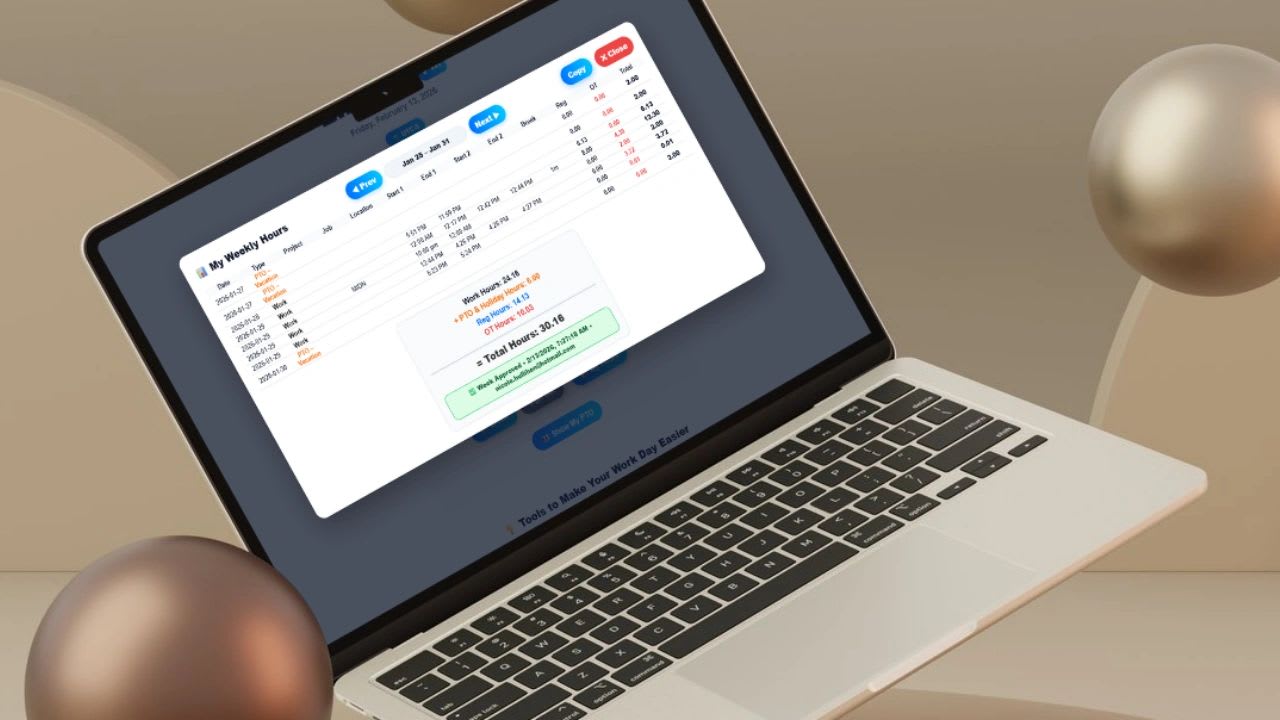
Use our free volunteer hour tracking tool below to track all volunteer hours by volunteer or employee. Most organizations with a volunteer hour problem do not actually have a tracking problem. They have a system problem. The data is incomplete because hours are logged after the fact, from memory, into tools that were never designed to handle validation or reporting. Fix the system and the data fixes itself.
This guide covers the three tracking methods that hold up in real programs, the four-layer system structure behind every reliable volunteer hour operation, what data you actually need to capture, the mistakes that kill data quality, and a free template you can use today.
What Good Volunteer Hour Tracking Looks Like
A properly designed system captures hours at the moment they happen, not hours or days later when memory distorts the record. It requires minimal effort from the volunteer so compliance stays high regardless of how tech-savvy participants are. It prevents bad data from entering the system through validation and approval steps rather than relying on manual cleanup after the fact. And it produces reports -- total hours by volunteer, by event, by program, by month -- without requiring anyone to build a spreadsheet before every board meeting or grant submission.
The organizations that struggle most with volunteer data are almost always ones that started with a paper sign-in sheet or a simple Google Form and never formalized beyond that. They layered workarounds on top of workarounds until the data became too unreliable to trust. The fix is not more spreadsheet columns -- it is a deliberate system with clear ownership at every step.
The 3 Volunteer Tracking Methods That Actually Work
Check-In and Check-Out (Best Overall)
This is the gold standard. Volunteers check in when they arrive and check out when they leave, and the system calculates hours automatically. Nobody estimates. Nobody rounds. Nobody has to remember what time they started after a four-hour shift.
Implementation options range from a QR code posted at the event entrance that links to a simple form, to a tablet in kiosk mode at a fixed check-in station, to a mobile link sent to volunteers before the shift starts. The technology is not complicated -- what matters is that the entry point is visible, accessible, and takes under 30 seconds to complete. Any more friction than that and compliance drops fast, especially when participation is voluntary.
The reason this method produces better data than any alternative is that it removes the two biggest sources of volunteer tracking error: memory and manual math. For organizations that need to report volunteer hours to grant funders, state agencies, or corporate CSR programs, timestamped records are also far more defensible in an audit than a spreadsheet someone filled out weeks after the event.
Assigned Shift Tracking (Best for Scheduled Programs)
For programs where volunteers sign up for defined shifts in advance, assigned shift tracking eliminates logging friction almost entirely. Instead of asking volunteers to log their own hours, the system records hours based on the shift the volunteer committed to. Sign up for a 9am to noon shift and the system credits three hours when the shift closes.
This works well for recurring programs with predictable structure -- weekly food pantry shifts, scheduled tutoring sessions, regular animal shelter rotations. Staffing is clear in advance, volunteers have zero logging burden, and coordinators can see participation without chasing anyone for data.
The failure point is attendance verification. If someone signs up and does not show, the system still credits hours unless a coordinator marks them absent. The fix is a simple attendance confirmation step at the start of each shift. Without it, your participation numbers will be inflated by no-shows.
Verified Self-Logging (Controlled Backup Only)
Self-logging is the most flexible method and the most prone to error. Volunteers submit their own hours -- date, time range, event name -- after the fact, and a manager reviews and approves or rejects the entry before it counts. Without the approval gate, self-logging produces unreliable data fast. People round up. People estimate. People log hours from activities that did not qualify. The approval step is what makes it workable at all.
Use self-logging as a backup for situations that do not fit a structured check-in: a volunteer who attended a remote event independently, an employee who contributed hours outside a company program, a one-off activity that was not scheduled in advance. It should never be your primary method because the manual review burden scales poorly and data quality depends entirely on volunteer honesty and coordinator diligence.
The System You Should Actually Build
Regardless of which capture method you use, every reliable volunteer hour program has four layers. Miss any one and problems compound over time.
Layer 1: Capture
This is how hours enter the system -- check-in/out, shift assignment, or verified self-logging. The capture method determines your baseline data quality. Choose the highest-accuracy method your volunteer population will actually use consistently. A perfect system that volunteers ignore produces worse data than a slightly less precise system with 95% compliance.
Layer 2: Validation
Validation is how you prevent bad data from becoming permanent. At minimum this means manager or coordinator approval before hours are finalized, automated limits that flag entries outside reasonable bounds, and duplicate detection so the same event cannot be logged twice. Many organizations skip validation entirely and then wonder why their annual totals look wrong. A single-click approval workflow costs almost no time and prevents hours of cleanup.
Layer 3: Storage
All volunteer data should live in one place. Not a spreadsheet on someone's laptop, not a Google Form dumping to a tab nobody monitors, not a combination of paper sheets and digital entries that someone reconciles manually at year end. One system, one source of truth, accessible to everyone who needs reporting visibility. The moment data is split across multiple locations you have a reconciliation problem that grows every month and becomes a genuine crisis at grant reporting time.
Layer 4: Reporting
Your system is not finished until you can see total hours per volunteer, total hours per event or program, and rolling monthly totals without any manual assembly. If producing a volunteer hour summary requires someone to touch a spreadsheet, you have a reporting gap. Organizations that report to grant funders, corporate CSR programs, or boards especially need this layer built before they need it -- scrambling to reconstruct historical data under a reporting deadline is expensive and often inaccurate.
What Data You Actually Need to Capture
Keep the data model tight. Every field you add creates friction at capture and increases the rate of incomplete records. Start with the minimum viable dataset and add fields only when a specific reporting requirement demands it.
| Field | Required | Notes |
|---|---|---|
| Volunteer name | Yes | Full name for grant reporting |
| Unique identifier | Yes | Email or employee ID for deduplication |
| Date | Yes | Date of volunteer activity |
| Check-in time | Yes | Timestamp preferred over typed entry |
| Check-out time | Yes | Timestamp preferred over typed entry |
| Total hours | Yes | Calculate automatically from timestamps |
| Organization / event name | Yes | Use a dropdown, not free text |
| Activity type | Yes | Required for program-level reporting |
| Approval status | Yes | Pending / Approved / Rejected |
| Approving manager | Recommended | Audit trail for disputes |
| Location | Recommended | Required for some grant programs |
| VTO category | If applicable | For companies with formal VTO policies |
Do not let volunteers type total hours manually. Manual hour entry is the single biggest source of volunteer data errors. It invites rounding, estimation, and honest mistakes. Capture start time and end time and calculate the total automatically. If your system cannot do this, add a validation step where a coordinator confirms the entry matches the actual shift before approving.
Step-by-Step: Build a Real Volunteer Tracking System
Step 1: Choose One Capture Method and Remove All Others
Pick one method based on your volunteer population and program structure and eliminate alternatives. The moment you allow volunteers to choose between a QR check-in, a self-log form, and a paper sheet, you have three data sources to reconcile at year end. One method, consistently enforced, produces cleaner data than three flexible options every time.
Step 2: Set Up the Entry Point
For check-in/out, this means a QR code at the event entrance, a kiosk tablet in kiosk mode, or a mobile link sent in advance. The form should collect only required fields and take under 30 seconds to complete. Test it with someone who has never seen it before. If they hesitate or ask questions, it is too complicated.
For shift assignment, build your shift schedule in the system before the program starts. Each shift should have a defined start time, end time, and capacity. Volunteers sign up against open slots. Coordinators confirm attendance at the start of each shift.
Step 3: Build the Approval Workflow
Every hour entry should go through an approval step before it counts. Assign specific coordinators or managers to the approval queue and set a turnaround expectation -- 48 to 72 hours is typical. Unapproved hours should appear in a clearly visible pending bucket. If approvals back up for more than a week, data quality degrades because approvers lose context for whether entries are accurate.
Step 4: Automate Hour Calculation and Reporting
Total hours should calculate automatically from timestamps. Monthly totals should be available without any manual work. If either requires a formula someone has to maintain, automate it before the program scales. The time cost of manual reporting grows with program size. The time cost of automating it is fixed and paid once.
Step 5: Review Data Weekly, Not Monthly
Assign someone to spend 10 minutes reviewing pending approvals and flagged entries every week. Errors caught within a week are easy to correct. Errors caught six months later at grant reporting time are often impossible to fix and may require explaining discrepancies to funders. Weekly review is the lowest-cost quality control intervention available.
Common Mistakes That Kill Volunteer Tracking
Logging After the Fact
This is the most common reason volunteer data is incomplete. Volunteers intend to log hours when they get home, before the end of the week, or at the end of the month. Most do not. Memory degrades fast, and even volunteers with good intentions underestimate or misremember how many hours they contributed. Any system that relies on volunteers remembering to log hours after participation will have systematic gaps in the data. Capture always beats recall.
Too Much Friction at Entry
If logging volunteer hours takes more than 30 seconds, compliance drops in any population where participation is voluntary. A check-in process that requires creating an account, filling out ten fields, and waiting for an email confirmation will be abandoned by a large percentage of participants. Strip the capture form to the minimum viable fields and add required fields back only when a specific reporting need demands it, not speculatively.
No Designated Owner
Volunteer data without a designated owner becomes unreliable over time. Someone needs to be responsible for reviewing entries, approving hours, flagging anomalies, and producing reports. In small organizations this is often one person with multiple responsibilities -- a volunteer coordinator, an HR manager, an operations lead. It does not matter who owns it as long as someone does and knows they do. When ownership is assumed to be shared, the approval queue backs up, errors go uncorrected, and reporting fails at exactly the moment you need it.
Multiple Disconnected Systems
Paper sign-in sheets at events, a Google Form for remote volunteers, a spreadsheet for annual totals, and an HR system for VTO tracking separately is not a system. It is four parallel records that will never match when you try to reconcile them. Every time you need to report total hours you spend time reconciling sources that were never designed to talk to each other. Consolidate to one system even if it means accepting some limitations. Imperfect centralized data is more useful and more defensible than perfect siloed data.
Free Volunteer Hours Log (Interactive)
Fill in the entry below. Total hours calculate automatically from check-in and check-out times. Click Copy to Excel to paste the completed log directly into a spreadsheet.
🕒 Volunteer Hour Entry
Fill in the fields. Hours calculate automatically. Copy to Excel when done.
For employee VTO programs: Add a column for VTO Policy Year and Available Balance so employees and managers can see remaining hours at a glance. Track VTO in the same system as regular PTO so approvals, balances, and reporting all live in one place. See the full VTO policy template here.
How Updoot Helps Small Businesses Track Volunteer Hours
Updoot handles the time tracking infrastructure that makes volunteer hour programs work without adding administrative overhead. Employees log volunteer hours the same way they log work hours, with GPS verification and manager approval built into the same workflow. Volunteer time stays separate from paid work time so payroll and CSR reporting never get mixed. Managers see pending approvals in their dashboard and approve with a single click. Reports on volunteer participation, hours by employee, and hours by program are available without any manual compilation.
Real-Time Logging with Manager Approval
Employees submit volunteer hours through the same interface they use for regular time tracking. Every entry goes to manager approval before it counts. No spreadsheet, no email thread, no paper form to reconcile later.
Separate VTO Category
Volunteer time is tracked under its own category, distinct from PTO and work hours. Year-to-date VTO totals are visible to both employees and managers at all times so there is never ambiguity about remaining balance.
Instant Participation Reports
Total volunteer hours by employee, by program, by month, and by team are available without any manual work. For companies that report volunteer hours to boards, investors, or grant funders, the data is always current and accurate.
Related Reading
Volunteer Time Off Policy Template →