
How to Take Good Notes in Meetings (7-Step System)
How to take good notes in meetings comes down to one idea: you are not writing a transcript, you are writing down what happens next.
Most meeting notes miss that. They capture who said what for forty minutes, then sit in a document nobody opens again. The decision gets forgotten, the action item has no owner, and the same topic shows up on next week's agenda.
Good notes turn a conversation into decisions and decisions into work. Below is a simple seven-step system, a structure you can reuse in any meeting, and a free meeting notes builder that flags any action item without an owner or a date.
Why Most Meeting Notes Fail
Meeting notes usually fail for one of three reasons.
- They try to capture everything. The notes turn into a transcript that is too long to reread, so nobody does.
- They have no structure. The one decision that mattered is buried in paragraph six.
- They do not connect to action. Things get agreed in the room and forgotten by the afternoon.
Meetings take up a big share of the week, which makes this expensive. Research published in Harvard Business Review found that executives spend nearly 23 hours a week in meetings. If the notes from all that time do not produce clear next steps, most of that time is wasted.
A simple test: if your notes do not answer "what happens next, and who is doing it," they are not finished.
Step 1: Prepare Before the Meeting Starts
Good notes start before anyone says a word. If you walk in cold, you end up scrambling to write everything down because you do not know what will matter.
Take two minutes beforehand to do three things:
- Read the agenda. Know the topics and what each one is supposed to decide.
- Set up your structure. Open the template below with the five headings already in place.
- Ask what needs to be decided. Those are the moments you cannot afford to miss.
If there is no agenda, that is worth fixing first. Our meeting agenda tool makes one in a few minutes.
Step 2: Stop Trying to Write Everything
You need signal, not noise. Write down only the things that will change what someone does after the meeting:
- Decisions made
- Action items, with owners and dates
- Deadlines and dependencies
- Risks or blockers
- The short "why" behind a decision
Everything else can go. If a comment would not change anyone's next step, it does not belong in the notes.
Step 3: Use a Simple Structure That Forces Clarity
The same five-part structure works for almost any meeting, from a weekly team sync to a client kickoff. Using it every time also makes old notes easy to scan and compare.
| Section | What Goes In It | Example |
|---|---|---|
| 1. Summary | One or two sentences on what the meeting covered and decided | Agreed to move the launch to the second week of next month. |
| 2. Decisions | Anything that was finalized | Vendor B approved for packaging. |
| 3. Action items | Owner, task, and due date for each next step | Luis: send the signed contract to Vendor B by Thursday. |
| 4. Discussion notes | Only the context that explains a decision | Vendor A could not meet the timeline. |
| 5. Parking lot | Open questions that need a later answer | Do we need a second supplier for the holiday rush? |
This structure keeps action items out of long paragraphs, which is where they usually get lost. Copy the plain-text version below into any doc or notes app.
MEETING NOTES
Meeting:
Date:
Attendees:

1. SUMMARY
(One or two sentences: what was discussed and what was decided)

2. DECISIONS
-
-

3. ACTION ITEMS
Owner | Task | Due date | Done means
      |      |          |

4. DISCUSSION NOTES
(Only context that explains why decisions were made)

5. QUESTIONS / PARKING LOT
-
Free Meeting Notes Builder
Free Meeting Notes Builder
Fill this in during or right after your meeting. Put one item per line in each box, add every action item with an owner and a due date, then copy the notes into Excel or print them. Nothing you type is saved or sent anywhere.
1. Summary
2. Decisions
3. Action Items
| Owner | Task | Due |
|---|
4. Discussion Notes
5. Questions / Parking Lot
Step 4: Capture Action Items Like a System
If you only get one part of your notes right, make it the action items. Each one should answer four questions:
- What exactly needs to be done?
- Who owns it? One name, not a team.
- When is it due?
- What does "done" look like?
| Weak Action Item | Strong Action Item |
|---|---|
| Look into pricing | Sarah to compare three competitors' pricing and send a one-page summary by Friday |
| Follow up with the client | Dana to email the client the revised quote by end of day Tuesday |
| Fix the onboarding process | Luis to draft a new first-week checklist and share it at next Monday's meeting |
Without an owner and a date, an action item is a suggestion. The builder above flags any item that is missing either one, so you catch it before the notes go out.
Step 5: Separate Listening From Writing
Trying to listen and type at full speed at the same time makes you worse at both. Listen during the discussion, then write a one-line summary during the natural pauses when a topic wraps up.
For fast-moving meetings, a few letters of shorthand in the margin help you sort as you go:
| Shorthand | Meaning | Where It Goes Later |
|---|---|---|
| D | Decision | Decisions section |
| A | Action item | Action items, with owner and date |
| R | Risk or blocker | Discussion notes, or an action item to resolve it |
| Q | Open question | Parking lot |
Step 6: Clean Up and Share Within Minutes
This is the step most people skip, and it is the one that costs the most. Memory fades fast. In a well-known replication of Ebbinghaus's forgetting curve, a large share of what was learned was already gone within the first hour. Your shorthand will not make sense tomorrow.
Block five to ten minutes right after the meeting to:
- Turn shorthand into full sentences
- Confirm every action item has an owner and a date
- Cut anything that will not matter next week
- Send the notes to everyone who attended, plus anyone who owns an action item but was not there
Notes only create value when other people can act on them.
Step 7: Turn Notes Into Execution
Notes should not live on their own. Every action item needs to land somewhere people already look: a task list, a project, or the goal it supports. If it stays only in a notes document, it disappears the moment that document is closed.
Start the next meeting by reviewing the action items from the last one. That single habit does more for follow-through than any note-taking app.
What to Focus On in Different Types of Meetings
The five-part structure stays the same, but what matters most shifts with the kind of meeting. Knowing that ahead of time tells you where to pay closest attention.
| Meeting Type | What to Capture Most Carefully |
|---|---|
| Weekly team sync | Status changes, blockers, and who is picking up what this week |
| One-on-one | Commitments on both sides, feedback given, and goals discussed |
| Client or sales call | The client's exact requirements, budget, timeline, and promised follow-ups |
| Project kickoff | Scope, milestones, owners for each workstream, and open risks |
| Planning or strategy session | Final priorities, what was deliberately ruled out, and the reasoning |
| Interview | Specific answers and examples tied to your scorecard, not general impressions |
For one-on-ones and interviews especially, write notes as if the other person might read them one day. Stick to facts and specific examples, and leave out opinions you would not say to their face.
Common Meeting Notes Mistakes to Avoid
| Mistake | Fix |
|---|---|
| Writing a transcript | Capture decisions and actions, not every sentence |
| Action items with no owner | One name and one date on every item |
| Cleaning up notes the next day | Clean and send within ten minutes |
| Notes that live in isolation | Move action items into tasks or projects right away |
| A different format every time | Use the same five-part structure in every meeting |
| Never reviewing old action items | Open each meeting with last meeting's action items |
The Real Problem Is Follow-Through
Most teams do not struggle because their meetings have bad conversations. They struggle because nothing gets tracked after the meeting ends. Notes get written and forgotten. Action items get assigned and lost. Decisions get made and never revisited. That gap between the meeting and the work is where execution breaks down.
How Updoot Helps Meetings Turn Into Results
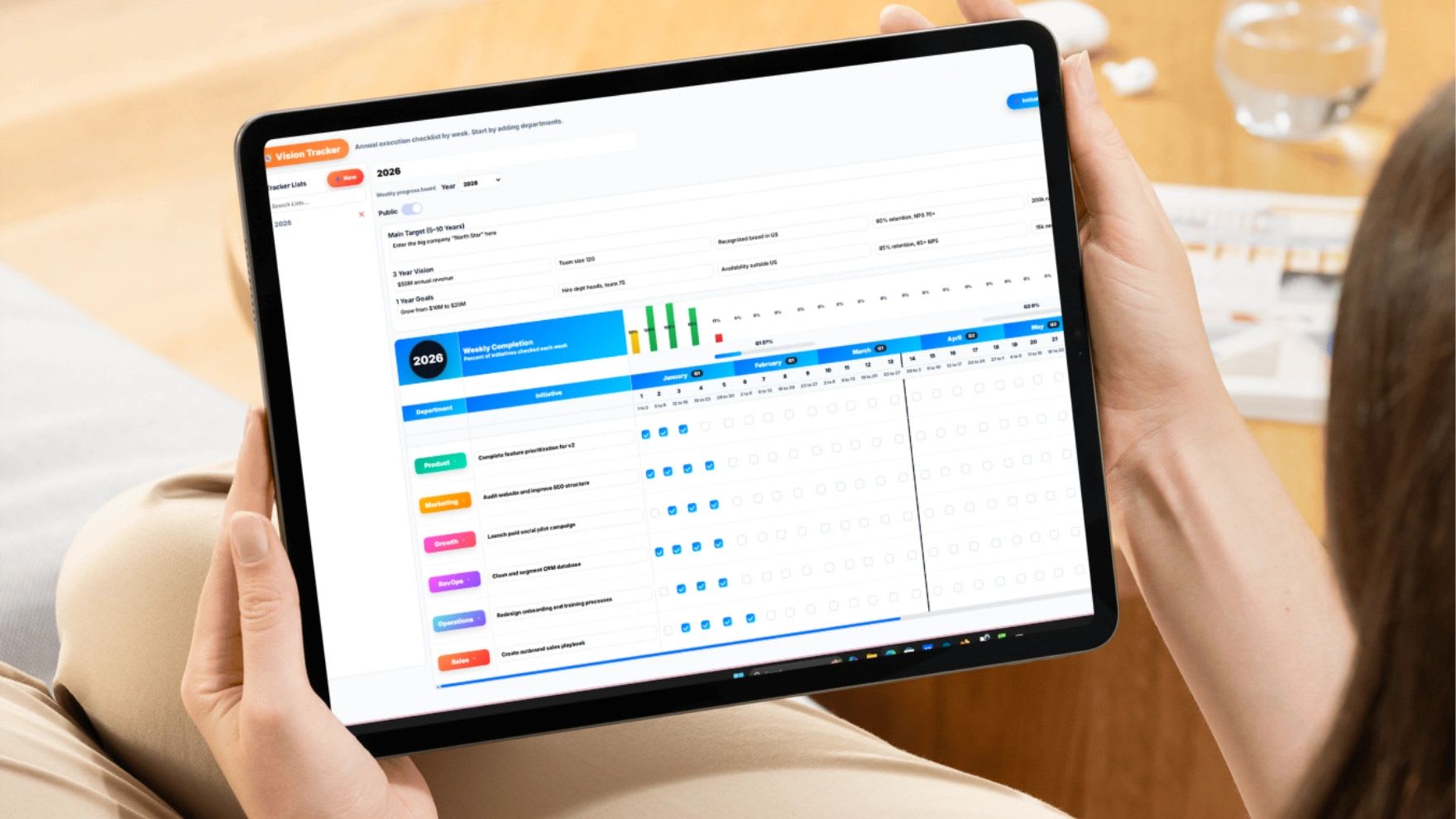
Updoot's Meetings and Vision Tracker treats meeting notes as a starting point, not a finished document. You capture decisions, action items, and owners in the meeting, and those items connect directly to your goals and projects. Instead of asking "did we finish that?" or "who was responsible?", you can see progress against your objectives in one place.
Updoot is business management software that also covers time tracking, payroll, HR, SOPs, and KPIs, starting at $5 per user per month.
Final Thoughts
Good meeting notes are not about writing more. They are about capturing decisions instead of dialogue, putting one owner and one date on every action item, and connecting those items to the work that follows. Do those three things consistently and your meetings will start producing results instead of more meetings.
Opens in Google Drive. View and download for free.
Related Reading
Frequently Asked Questions About Meeting Notes
What should good meeting notes include?
Good meeting notes include a short summary, the decisions made, action items with an owner and a due date, only the context that explains those decisions, and a list of open questions for later. They should not try to capture every sentence.
What is the best format for meeting notes?
A five-part format works for most meetings: summary, decisions, action items, discussion notes, and a parking lot for open questions. Using the same format every time makes notes faster to write and easier to scan.
How do you write a good action item?
Every action item needs a specific task, one owner, a due date, and a clear idea of what done looks like. For example, Sarah to compare three competitors' pricing and send a one-page summary by Friday.
When should meeting notes be sent?
Clean up and send notes within five to ten minutes of the meeting ending. Memory fades quickly, and shorthand that made sense in the moment is hard to decode the next day.
Should you record meetings instead of taking notes?
A recording can help with detail, but it does not replace notes. People rarely rewatch a full meeting. Short notes with decisions and action items are what actually get used.
Who should take notes in a meeting?
Assign one note taker before the meeting starts, and ideally not the person running it. Rotating the role spreads the work and keeps everyone familiar with the format.