
How to Hire Remote Employees
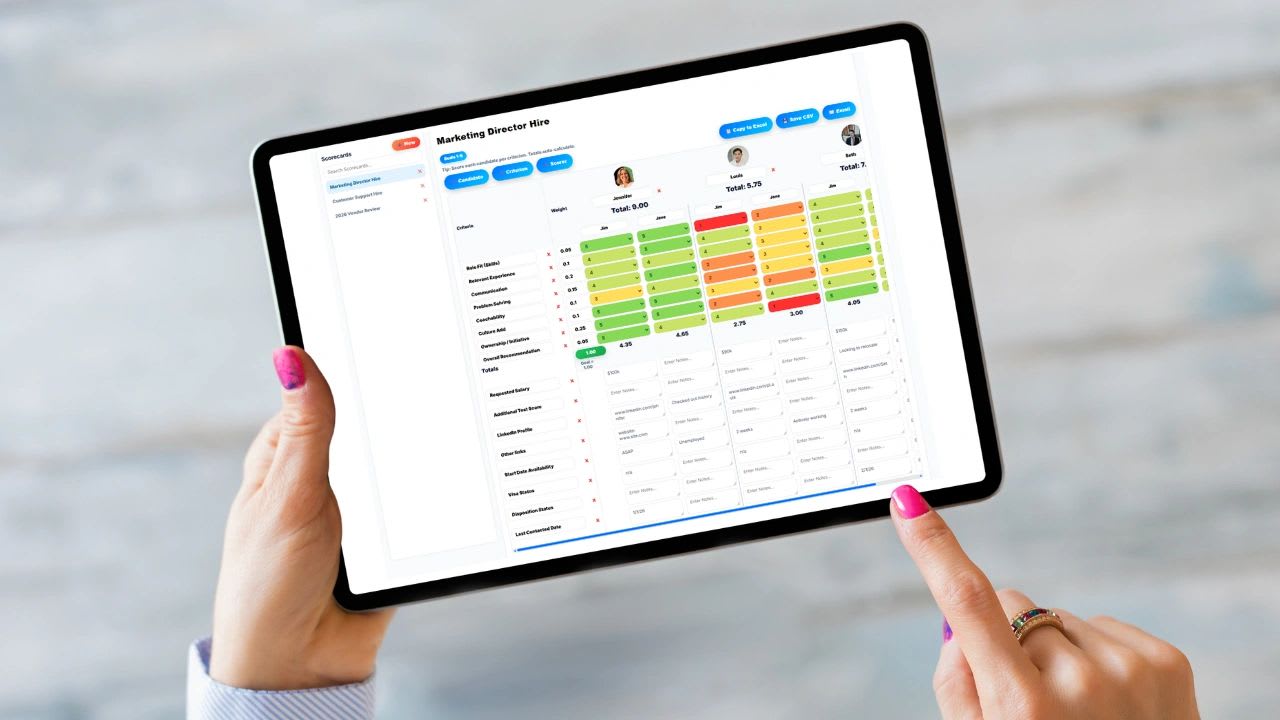
How to hire remote employees comes down to hiring for self-management and written communication as much as skill: define the role by outcomes, write a remote-specific job description, screen for remote readiness, test with a real work sample, and onboard with clear systems. This guide walks through the full 10-step process, the questions to ask, the legal and payroll basics, and includes a free remote hiring tracker that calculates time zone overlap for every candidate.
Hiring remote employees is how many modern companies scale. The hard part is not finding applicants. It is finding people who do excellent work without someone looking over their shoulder. Treat remote hiring like office hiring and you will make expensive mistakes.
Why Hiring Remote Employees Is Different
In an office you get face-to-face communication, quick feedback, and visibility into work habits for free. Remote work removes all of that and replaces it with systems, written communication, and accountability. So you are hiring for more than skill:
- Self-management: plans their own day and hits deadlines without reminders
- Written communication: explains progress, problems, and decisions clearly
- Reliability: does what they say, when they say
- Time discipline: protects focus time and is available during agreed overlap hours
Benefits and Drawbacks of Hiring Remotely
| Benefits | Drawbacks to Plan For |
|---|---|
| Access to a much larger talent pool | Communication gaps when expectations are unclear |
| Lower office and overhead costs | Time zone coordination |
| Fewer interruptions and more focused work | Culture takes deliberate effort to build |
| Flexibility that helps retention | Hiring mistakes take longer to spot |
| Business continuity across locations | Payroll and compliance in more places |
How to Hire Remote Employees in 10 Steps
Step 1: Define the Role by Outcomes
Most hiring failures start with a vague role. Define the responsibilities, the results expected in the first 30, 60, and 90 days, the tools used, communication expectations, and any required overlap hours. Remote roles must be judged on outcomes, not activity.
Step 2: Write a Remote-Specific Job Description
State clearly whether the role is fully remote or hybrid, which locations or time zones you can hire in, required overlap hours, the tools you use, and how performance is measured. Clarity filters out poor fits before you spend time on them. Use this job description format as a starting point.
Step 3: Source Candidates
Post on remote-focused job boards and LinkedIn, and ask your team for referrals. Prioritize candidates with remote experience, but do not rule out strong people who have not worked remotely yet. The screening steps will show who is ready.
Step 4: Screen for Remote Readiness
Screen for behavior, not just skills. Pay attention to how candidates communicate from the first email.
| Question | What a Strong Answer Includes |
|---|---|
| How do you plan your day without a manager nearby? | A specific routine or system, not "I just get it done" |
| How do you keep your team updated on progress? | Regular written updates, shared boards, proactive flags |
| Tell me about a time you were blocked while working remotely. | Asked early, proposed options, kept other work moving |
| What does your home workspace look like? | A reliable setup, internet, and a plan for backup |
| How do you prefer to receive feedback remotely? | Self-awareness and openness to regular check-ins |
Step 5: Test With Real Work
Give finalists a short, realistic task that mirrors the job. Watch how they ask questions, manage the deadline, and explain their work in writing. A work sample reveals more than any interview. Keep it brief and respectful of their time.
Step 6: Evaluate Written and Live Communication
Slow responses, vague writing, or disorganized updates during hiring rarely improve after the offer. Score communication at every stage, not just in the interview.
Step 7: Check for Self-Management
Strong remote employees plan their work, track their time, and communicate before being asked. Ask references specifically how the candidate worked when they had little supervision.
Step 8: Run Structured Interviews
Ask every candidate the same core questions and score them on the same rubric. Structure makes comparison fair and keeps interviews focused. The hiring scorecard guide shows how to build one.
Step 9: Make the Offer and Set Expectations
Put working hours, overlap requirements, communication standards, equipment, and performance expectations in writing with the offer. Clarity up front prevents most remote performance problems. Also confirm where the employee will live and work, because that affects payroll and taxes.
Step 10: Onboard Intentionally
Remote onboarding cannot rely on people absorbing culture in the hallway. Ship equipment before day one, set up accounts in advance, assign a buddy, share SOPs, set first-week goals, and schedule check-ins at day 1, day 7, and day 30. Use a new hire orientation checklist so nothing is missed, and document expectations in a remote work policy.
Free Remote Hiring Tracker
Free Remote Hiring Tracker
Set your team's core hours, then add candidates with their time zone, working hours, and scores. The tracker calculates daily overlap with your team and ranks candidates by communication and test task scores. Time zones use standard time, so adjust by an hour during daylight saving if needed.
Add a Candidate
| Candidate | Stage | Time Zone | Overlap | Comm. | Test | Remote Exp. | Score |
|---|
Candidates are ranked by communication and test task scores, with a small bonus for remote experience. The top candidate shown is the highest-ranked active candidate who meets your overlap requirement.
What to Look for in Remote Employees
- Clear writing. They explain complex things simply.
- Ownership. They take responsibility for outcomes, not just tasks.
- Time management. They structure their own day and protect deadlines.
- Reliability. They follow through consistently.
- Comfort with tools. They learn new software quickly and use it without friction.
Legal and Payroll Basics for Remote Hires
Where a remote employee lives usually determines which state's employment and payroll tax rules apply. Hiring in a new state often means registering for that state's withholding and unemployment taxes, following its wage and hour rules, and posting required notices electronically. Federal I-9 employment eligibility verification still applies to remote hires, and the rules for remote document review are on USCIS I-9 Central. Hiring outside the U.S. adds another layer and often requires an employer of record or contractor agreement. Check with your payroll provider or an employment attorney before making an offer in a new location.
Remote Hiring Pipeline Stages
| Stage | Goal | Target Time |
|---|---|---|
| Applied | Review against must-have criteria | Within 3 business days |
| Screening | Short call or written questions on remote readiness | Within 1 week of applying |
| Interview | Structured interview with the hiring manager | Within 2 weeks |
| Test Task | Short, realistic work sample | 2 to 3 days to complete |
| Final Interview | Meet the team and discuss the work sample | Within 3 weeks |
| Offer | Written offer with expectations and location confirmed | Within 2 days of the decision |
Strong remote candidates often have several options, so a slow process loses them. Move every candidate forward or close them out each week, and tell rejected candidates promptly. How you treat candidates is their first look at how you run a remote team.
Remote Hiring Timeline
A focused remote hiring process usually takes three to five weeks from posting to offer. Plan roughly one week for sourcing and initial review, one week for screening, one to two weeks for interviews and the work sample, and a few days for references and the offer. Add onboarding preparation, such as shipping equipment and creating accounts, before the start date so the new hire is productive on day one.
Common Remote Hiring Mistakes
- Hiring only for skill. Skill does not predict remote success on its own.
- Skipping the work sample. You need to see how they actually work.
- Vague expectations. Unclear roles produce poor performance in any setting, and worse remotely.
- Ignoring time zones. Too little overlap slows every decision.
- No tracking system. Without a tracker, strong candidates fall through the cracks.
Remote Interview Tips
- Test the setup. Send the video link, agenda, and interviewer names in advance.
- Include a written step. A short written exercise shows how the candidate communicates asynchronously.
- Match the real schedule. Hold at least one interview during the hours the person would actually overlap with the team.
- Explain how the team works. Describe your tools, meeting rhythm, and response time expectations so candidates can judge fit too.
Managing Remote Employees After the Hire
Hiring is only the start. Remote teams need shared systems for time, projects, and communication. Updoot connects time tracking, scheduling, projects, SOPs, and performance reviews so managers see progress and employees know what is expected, wherever they work. Plans start at $5 per user per month. For more, see how to know if remote employees are working.
Final Thoughts
Remote hiring is a major advantage when it is done with discipline. Define roles by outcomes, screen for self-management and communication, test real work, check time zone overlap, confirm payroll requirements, and onboard intentionally. Do that and you build a remote team that performs, not just one that looks good on paper.
Sources: USCIS, I-9 Central.
Opens in Google Drive. View and download for free.
Related Reading
How to Hire for Cultural Fit and a Free Hiring Tracker →
Frequently Asked Questions About Hiring Remote Employees
How do you hire remote employees?
Define the role by outcomes, write a remote-specific job description, source candidates, screen for remote readiness, test with a real work sample, run structured interviews, set clear expectations in the offer, and onboard intentionally.
What should you look for when hiring remote employees?
Look for clear written communication, self-management, ownership, reliability, and comfort with digital tools, in addition to job skills.
What questions should you ask remote candidates?
Ask how they plan their day without supervision, how they keep their team updated, how they handle being blocked, what their workspace looks like, and how they prefer to receive feedback.
How much time zone overlap do remote teams need?
Many teams aim for about three to four hours of overlap each day for meetings and quick decisions. Teams that work mostly asynchronously can succeed with less.
Do remote employees need to complete an I-9?
Yes. Employers must complete Form I-9 employment eligibility verification for remote hires. USCIS explains the options for reviewing documents remotely.
Which state's laws apply to a remote employee?
In general, the state where the employee lives and works determines payroll tax and many employment rules. Check with your payroll provider or an employment attorney before hiring in a new state.